
Operate · Facilities management
Every job, every asset, every deadline in one place.
A tenant reports a leak, and a work order opens with its SLA clock running. Dispatch, planned maintenance, contractors, budget and permits sit in the same menu, so the building team works from one list.
 Facilities management
Without PropertyHive
Sound familiar?
Requests arrive on WhatsApp
A photo to the building manager, a call to the technician, and no record of when the clock started.
Planned maintenance slips
The chiller service lives in a calendar reminder that nobody owns once the engineer moves on.
Expired paperwork goes unnoticed
A contractor's insurance or a lift certificate expires, and the first anyone hears of it is the audit.
How it works
Facilities management, step by step.
A request becomes a work order
Tenant requests turn into work orders automatically, linked to the original request. Jobs can also come from planned maintenance, an inspection or be raised by hand.
Facilities management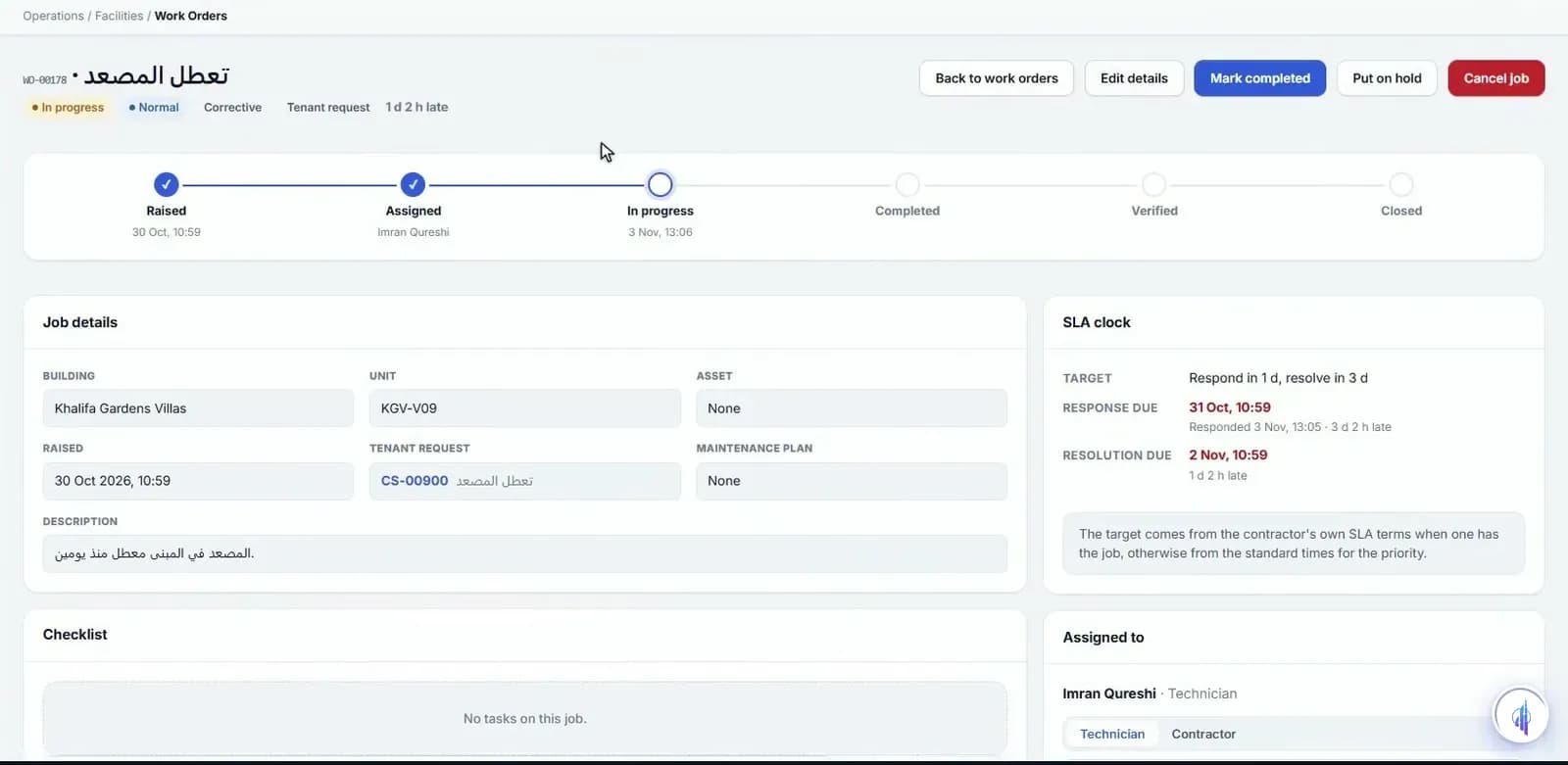
Dispatch by dragging the card
The dispatch board shows who has what today. Unassigned jobs wait in one column, and every technician and contractor has their own.
Facilities management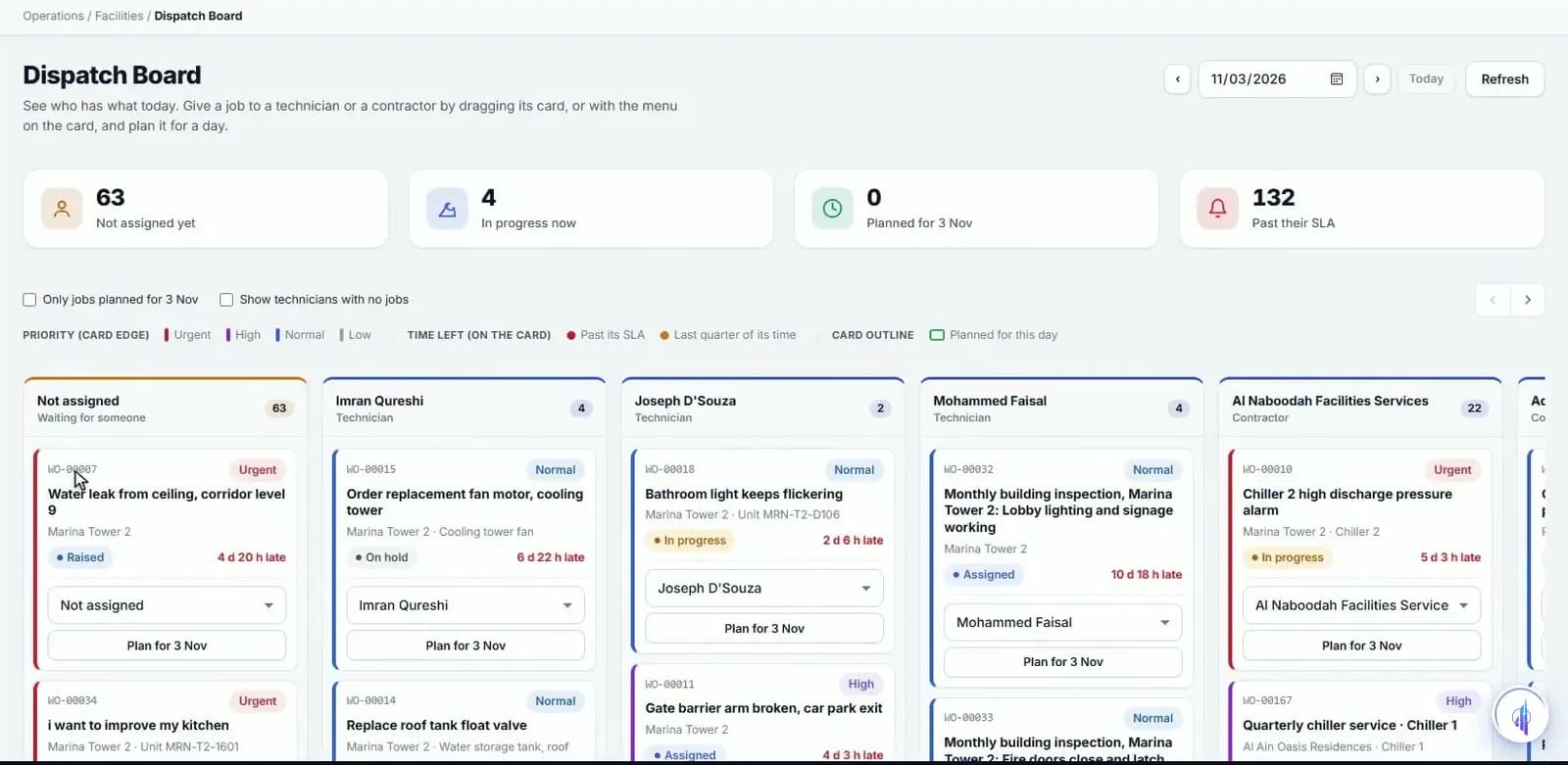
Close it with evidence
Each job runs from raised to assigned, in progress, completed, verified and closed. It carries a checklist, a cost sheet with 5% VAT and before and after photos, and cannot be completed while a required task is open.
Facilities managementPlan maintenance against the asset
The asset registry holds every lift, chiller, pump and fire system as a tree. PPM plans with SFG20 references raise their own work orders when due.
Facilities management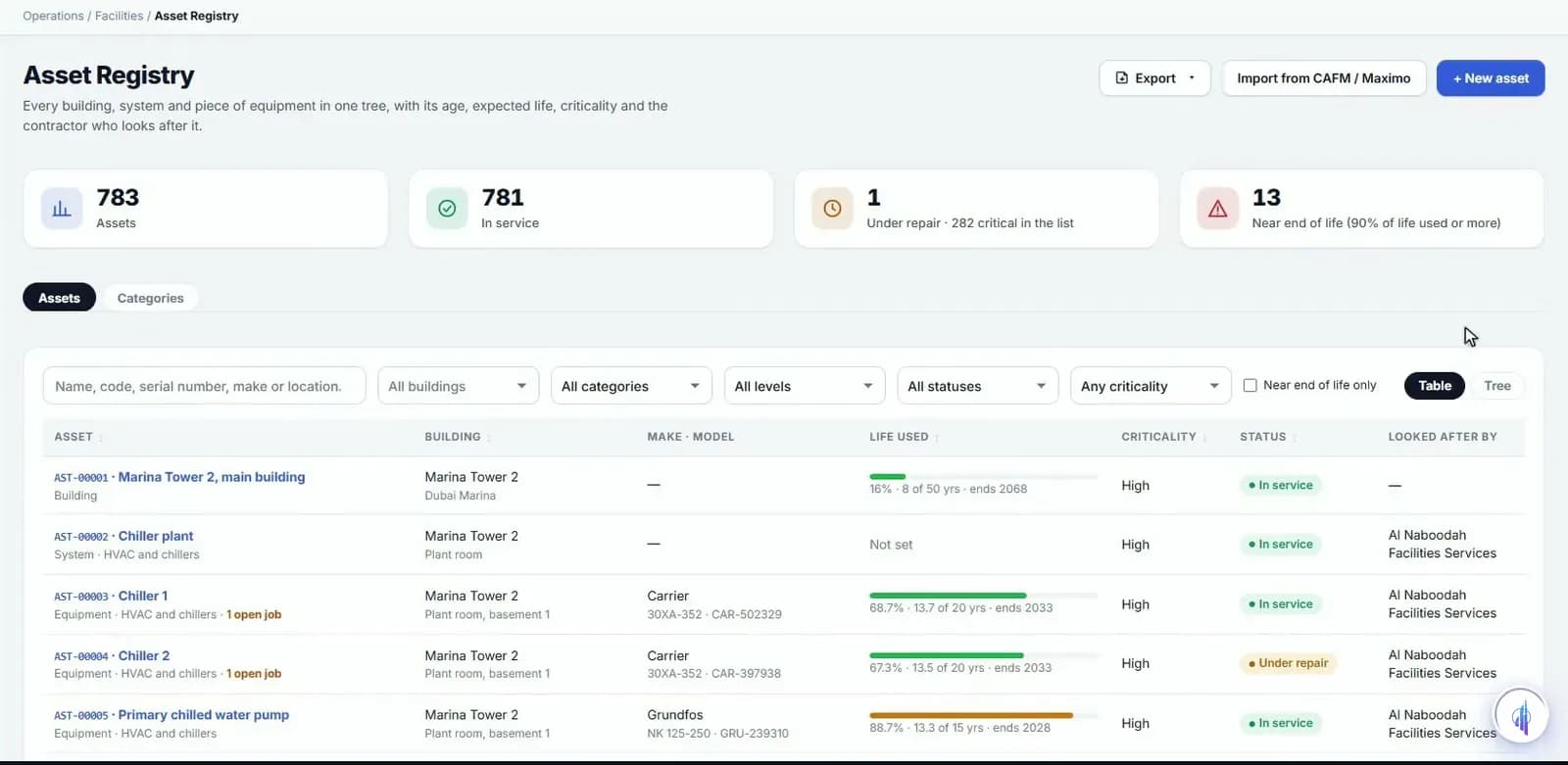
Keep spend inside the budget
Requisitions become quotations and purchase orders counted against the FM budget, which shows committed, spent and available for each building and cost line.
Facilities management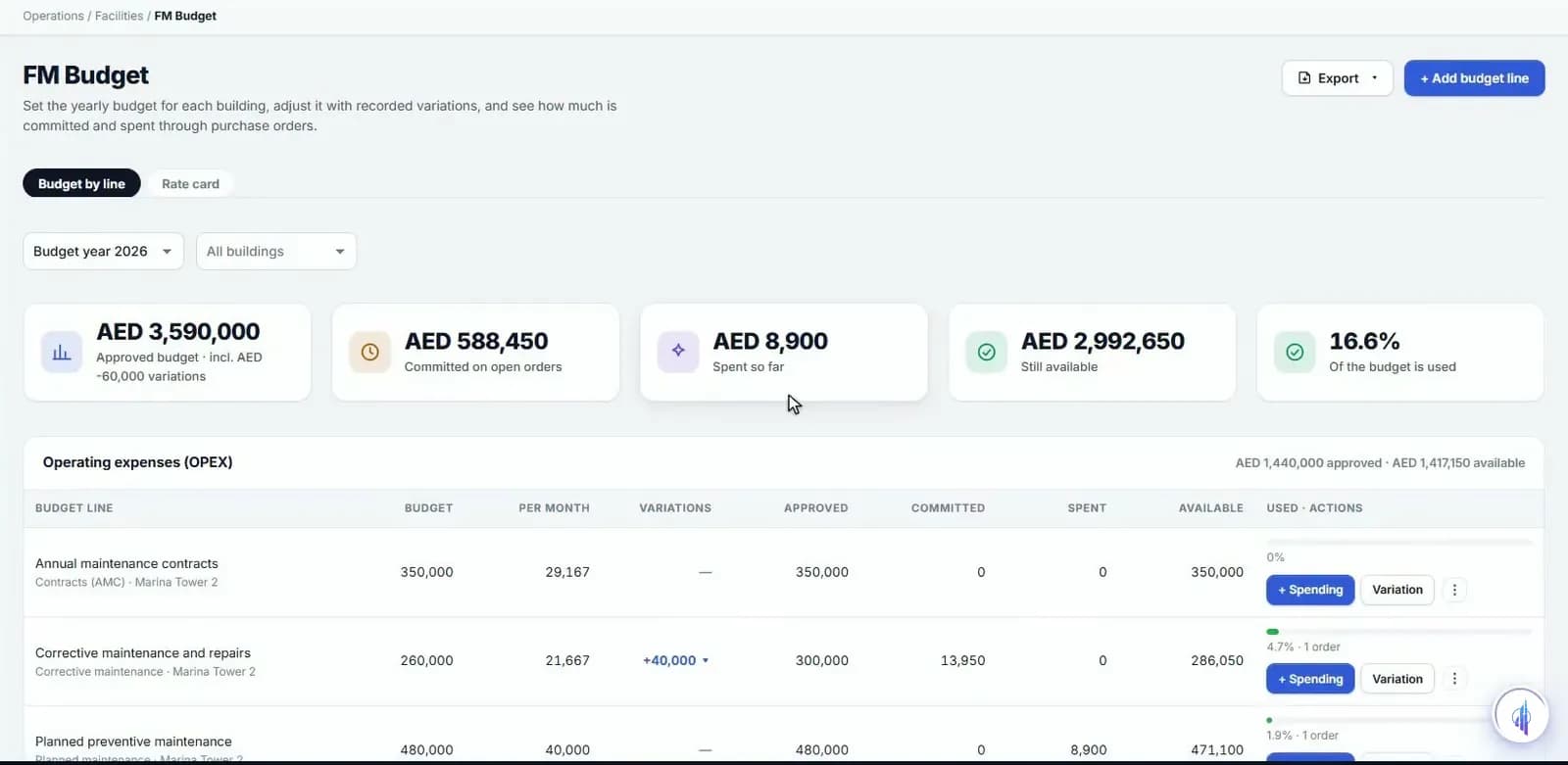
- 6
- stage work-order lifecycle
- 30/20/10
- day alerts before a certificate expires
- 4
- FM roles, from manager to technician
Capabilities
Everything it takes, in one place.
SLA clock on every job
Response and fix deadlines, with late jobs and who holds them surfaced on the dashboard.
PPM planner
A rule-based "suggest a schedule" with SFG20 references, and a monthly compliance view.
Asset registry import
Bring assets in from a Maximo or CAFM Excel export, with history, plans and warranty per asset.
Contractor compliance
Licence and insurance expiry tracked, so nobody is sent on a job with an expired licence.
SLA penalties
A late job proposes a penalty. A manager applies it or waives it with a reason.
Certificates and AMC
Certificates, maintenance contracts and warranties with alerts at 30, 20 and 10 days.
Meters and utilities
Electricity, water and cooling readings, with unusual readings flagged and 12 months of consumption.
Inspections
Checklists with photos and a score. A failed check can become a work order.
Permits, waste and amenities
Fit-out permits with NOC, waste manifests with ESG recycling share, insurance claims and amenity booking.
Watch it work
Facilities management walkthrough
Work orders with SLA clocks, dispatch, assets, PPM, contractors and budgets.
Narrated in English with captions. All data shown is demo data.
FAQ
Questions we hear a lot.
Can we import our existing asset register?
Yes. Assets import from a Maximo or CAFM Excel export into the registry tree. A live Maximo API connection is integration-ready.
How does the PPM schedule get built?
Each plan sets how often an asset is serviced and its tasks, with SFG20 references. A rule-based "suggest a schedule" proposes the plan, and a work order is raised automatically when it falls due.
Who decides the priority of a new request?
AI triage suggests a category, priority and safety risk for each request, and points out units and buildings with repeat problems. Your team confirms before anything is saved, and the AI Governance Log records each suggestion with its reason.
See it on your portfolio.
Bring your unit list and a month of cheques. We'll show you the workflow, not the slides.