
Collect · Final settlement
From notice to a signed settlement statement.
Rent to the cut-off, the early-exit penalty, damages and the deposit, each on its own line with its reason. The tenant gets a bilingual statement they can read, and you get an approval trail you can defend.
 Final settlement
Without PropertyHive
Sound familiar?
Every settlement is a new spreadsheet
Day counts, penalties and cleaning charges are worked out again for each move-out, and no two come out the same way.
Waivers leave no trace
A charge is dropped on a phone call, and six months later nobody can say who agreed or why.
The tenant disputes the total
A single figure in an email invites an argument. A statement with every line explained does not.
How it works
Final settlement, step by step.
Start from the lease or a move-out request
The tenant's move-out request, or an early termination on the lease, opens the settlement. A preview shows the penalty and the net figure before anything is saved.
“The tenant's move-out request, or an early termination on the lease, opens the settlement.”
Build the settlement line by line
Lines A to N cover pro-rata rent, the early-exit penalty, damages from the rate card, cleaning, admin fee, VAT and the deposit offset. A positive net is due from the tenant; a negative net goes back to them.
Final settlement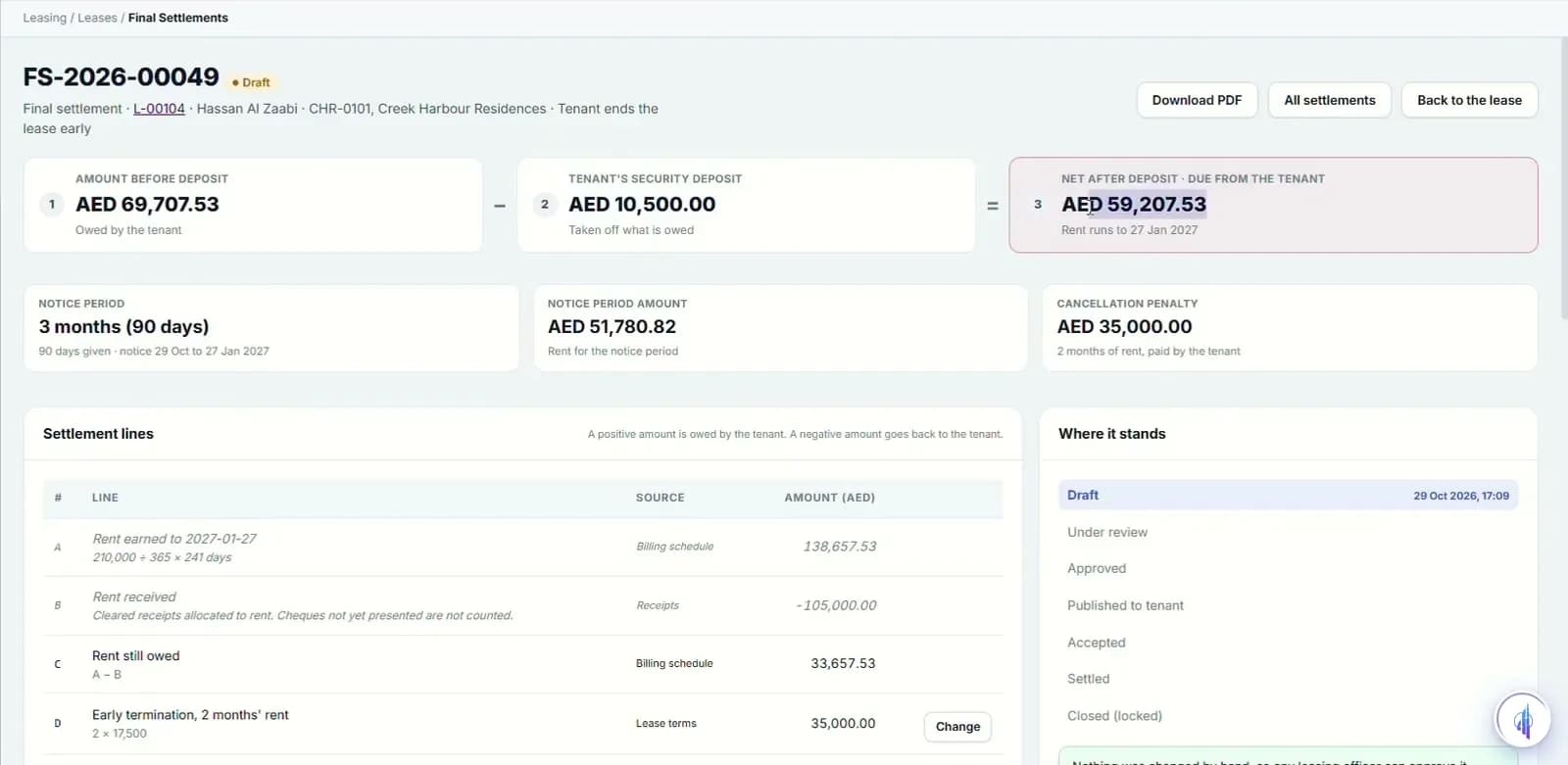
Review, approve, settle
Every override needs a reason. Manual changes, waivers and refunds over AED 50,000 need a manager. The settlement moves from draft to review, approved, settled and closed.
Final settlement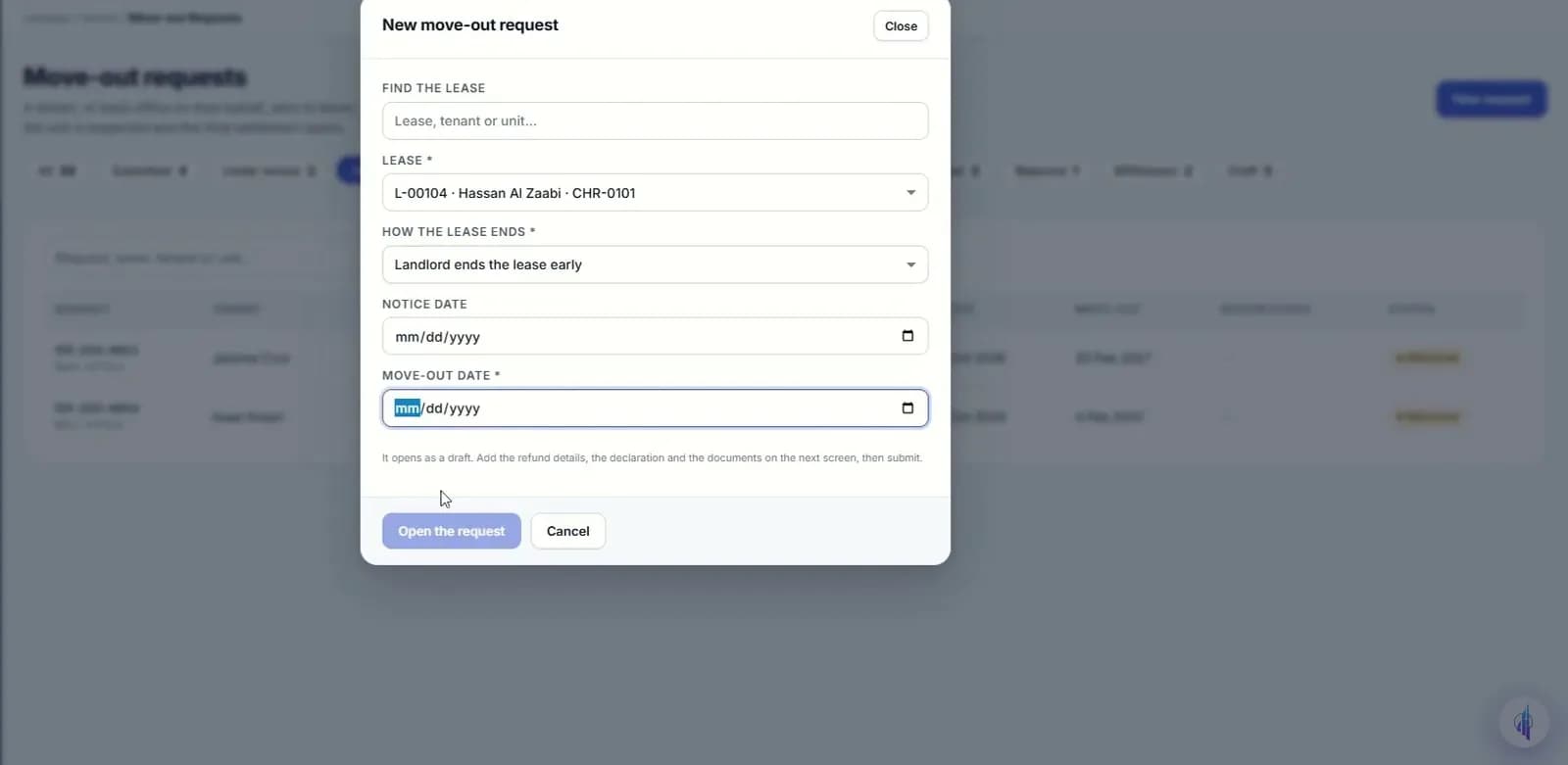
Send the bilingual statement
The statement downloads as an English and Arabic PDF with the notice period, penalty, deposit, net amount and signature lines. Cheques dated after the cut-off are returned when the settlement closes.
Final settlement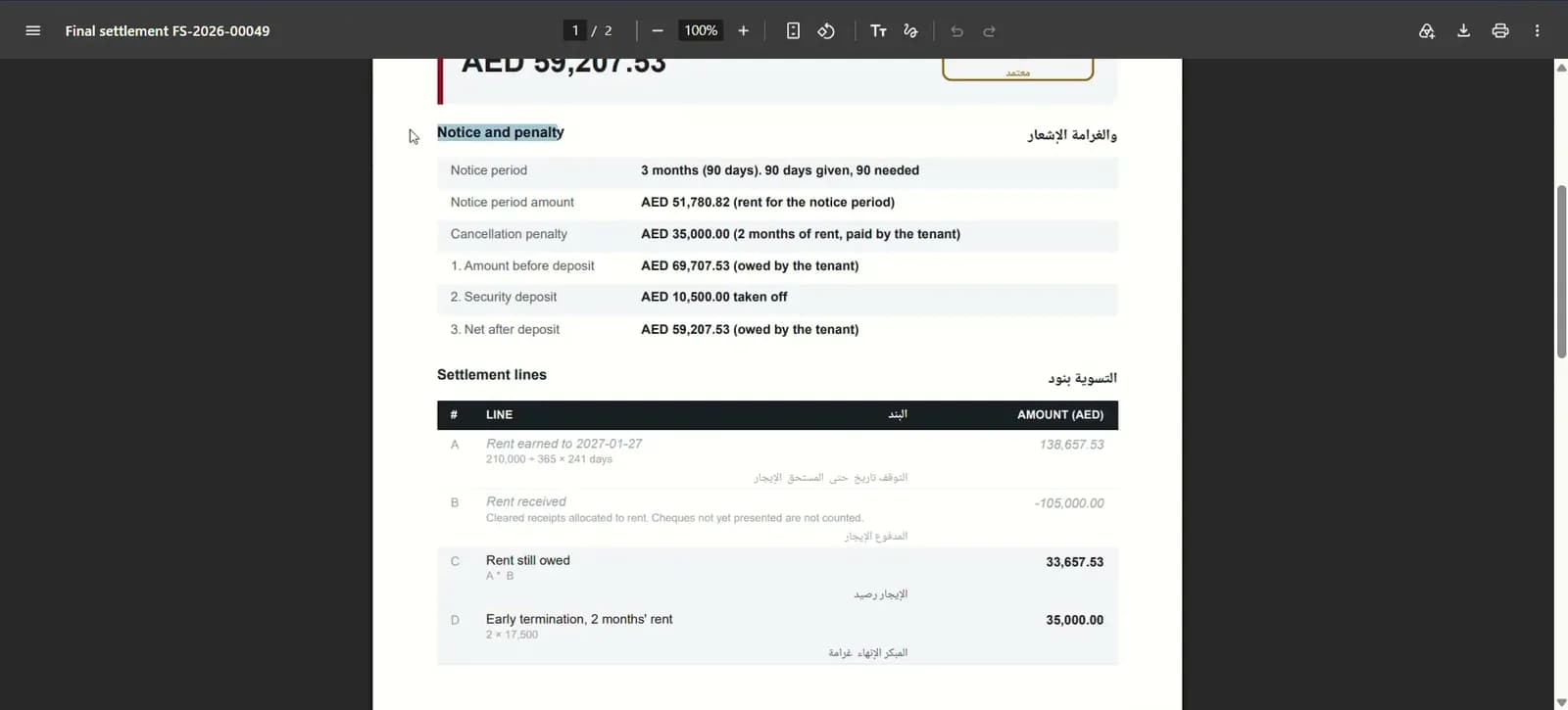
- A–N
- settlement lines, each explained
- 5
- states from draft to closed
- AED 50k
- threshold for manager approval
Capabilities
Everything it takes, in one place.
Lines A to N
Pro-rata rent, early-exit penalty, damages, cleaning, admin fee, VAT and deposit offset.
Five settlement states
Draft, review, approved, settled and closed, filterable on the settlements list.
Reasons on every override
A charge or a waiver cannot be added without saying why.
Manager threshold
Manual changes, waivers and refunds over AED 50,000 go to a manager.
Damage rate card
Each item priced by unit type, with its own valid-from date.
Cleaning and painting rates
Set once in settings by unit type, applied to every settlement.
Day-count and VAT rules
The day-count convention and VAT treatment live in settings, not in someone's formula.
Cheque cut-off
Post-dated cheques after the cut-off are flagged for return to the tenant.
Bilingual PDF statement
English and Arabic on one statement, with signature lines.
Watch it work
Final settlement walkthrough
From notice and early-exit terms to a signed bilingual statement.
Narrated in English with captions. All data shown is demo data.
FAQ
Questions we hear a lot.
Can we use our own penalty and cleaning rates?
Yes. Early-exit terms sit on each lease, and cleaning, painting and damage rates are set in settlement settings by unit type. Each rate can be edited and carries its own valid-from date.
Who can waive a charge?
The leasing agent can propose a charge or a waiver with a reason. Manual changes, waivers and refunds above the threshold, AED 50,000 by default, need a manager before the settlement is approved.
What happens to the security deposit?
The deposit is offset on the statement against what the tenant owes. Deposit refunds also wait for clearances: DEWA, cooling NOC, Ejari or Tawtheeq cancellation, inspection and keys.
See it on your portfolio.
Bring your unit list and a month of cheques. We'll show you the workflow, not the slides.