
Collect · Billing & collections
Bill every lease. Chase every overdue dirham.
Billing runs, tax invoices, receipts, deposits and refunds on the same record as the lease. The finance dashboard shows what is collected, due and overdue, and one click opens the payments behind each figure.
 Billing & collections
Without PropertyHive
Sound familiar?
Invoices are built by hand
Every month someone copies rent, escalations and VAT from the lease into a template, one tenant at a time.
Payments arrive without a name
A transfer lands in the bank, and finance spends the afternoon working out which tenant and which invoice it belongs to.
Arrears have no owner
The overdue list is long, nobody knows who to call first, and reminders go out when someone remembers.
How it works
Billing & collections, step by step.
Run the month's billing in one step
A billing run creates invoices for every active lease and applies each lease's escalation profile: fixed percentage, CPI-linked, stepped or market review. Tax invoices, credit and debit notes follow from the same data.
“A billing run creates invoices for every active lease and applies each lease's escalation profile: fixed percentage, CPI-linked, stepped or market review.”
Match every receipt to an invoice
Cleared cheques create receipts automatically. For transfers, AI reads the proof of payment and suggests the invoice, and a person confirms. Anything unmatched waits in its own list.
Billing & collections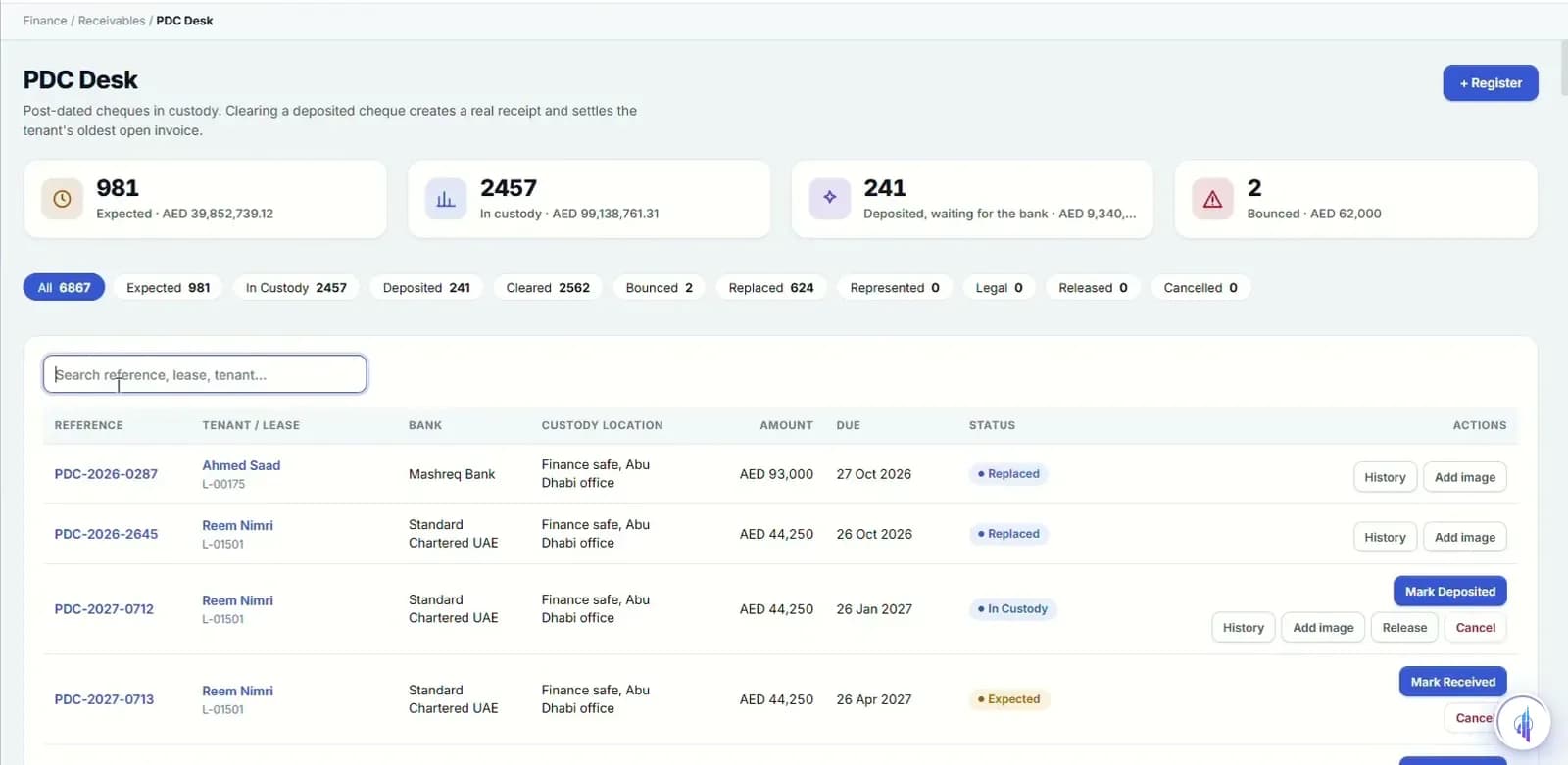
Work the overdue list in order
Dunning ladders decide which reminder or notice goes out next, and tenants can promise a payment date. The collections workbench ranks tenants by a risk score and lists the next action for each.
“Dunning ladders decide which reminder or notice goes out next, and tenants can promise a payment date.”
See cost and profit by building
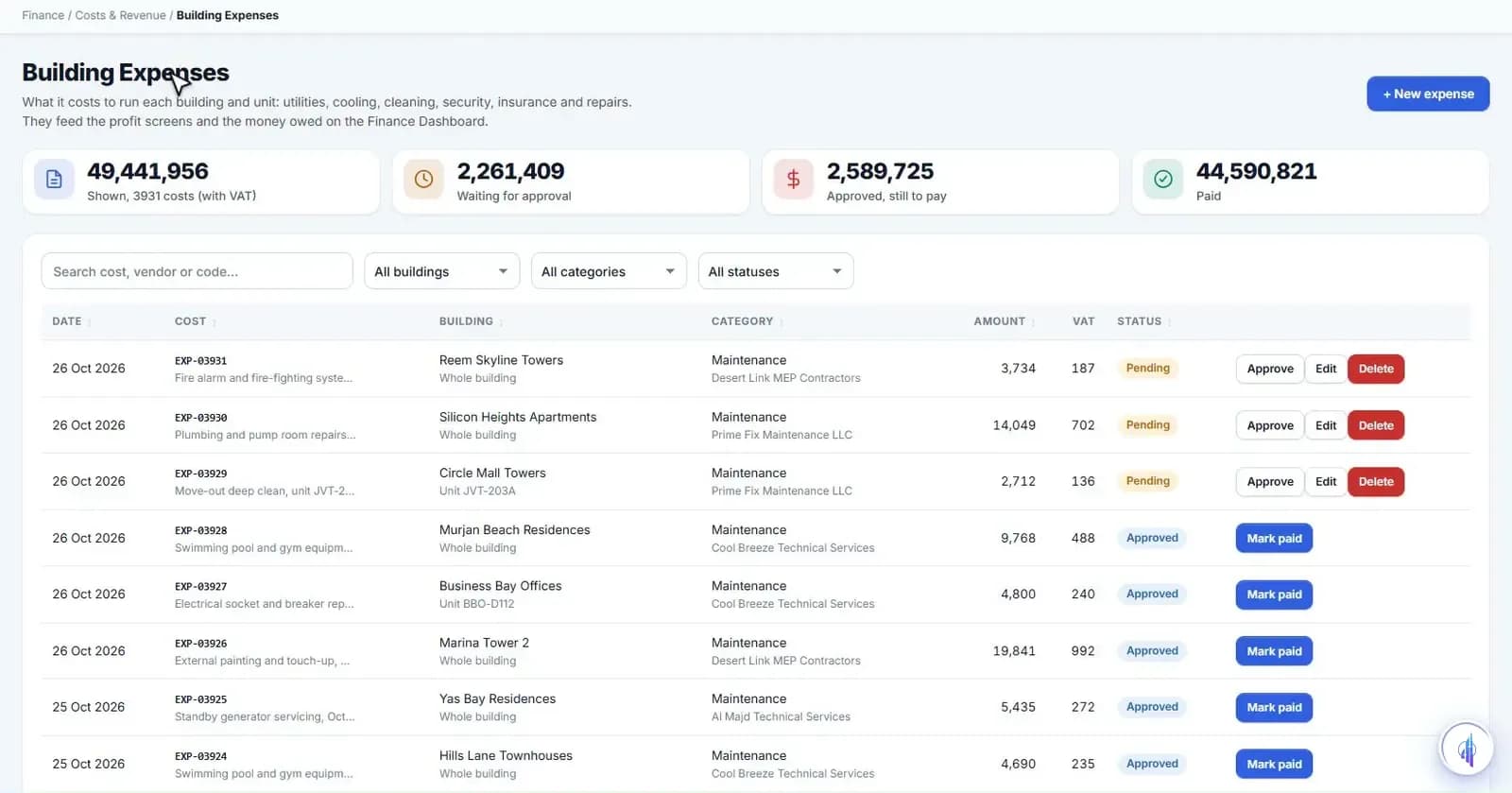
Building expenses record utilities, cleaning, security, insurance and repairs, and a cost must be approved before it is paid. Profitability sets rent earned against cost by building, unit and portfolio.
Billing & collections- 3
- ageing buckets with drill-down
- 4
- escalation profile types
- 14
- days before a pay link expires
Capabilities
Everything it takes, in one place.
Finance dashboard
Collected, due, overdue, payables and net 30-day cash, with ageing at 1–15, 16–40 and 40+ days.
FTA VAT returns
Tax invoices, credit and debit notes, and the quarter's VAT gathered for filing with the FTA.
Revenue recognition
Daily accrual, with deferred and accrued income shown against what was billed and collected.
Expenses read from invoices
AI fills building expenses from supplier invoices for a person to check and approve.
Collections workbench
Tenants ranked by a risk score built from how much they owe and how late they are.
Deposits and clearances
Deposit refunds wait for DEWA, cooling NOC, Ejari or Tawtheeq cancellation, inspection and keys.
Refunds with maker-checker
Overpayments and duplicates are refunded only after a second person approves.
Direct debit mandates
Bank authorisations recorded per tenant, with IBAN validation.
Pay links, gateway-ready
Single-use links that expire after 14 days. Card payments go live once your gateway is connected.
Watch it work
Finance and owners walkthrough
Billing, VAT, PDCs, collections, deposits and owner payouts.
Narrated in English with captions. All data shown is demo data.
FAQ
Questions we hear a lot.
Does it post to our accounting system?
Invoices, receipts and refunds are kept in PropertyHive. Posting to Microsoft Dynamics 365 and other ERPs is integration-ready and switched on during onboarding.
Can tenants pay online?
PropertyHive sends single-use pay links that settle the invoice when paid. No card gateway is connected yet, so the links run in test mode until we connect your chosen provider.
Does it handle UAE VAT?
Yes. VAT treatment is set on each lease, tax invoices and credit notes carry it, and VAT returns gather the quarter's tax for filing with the FTA.
See it on your portfolio.
Bring your unit list and a month of cheques. We'll show you the workflow, not the slides.