
Lease · Leasing & renewals
Every lease, from first draft to renewal
One lease file holds the contract, the charges, the payment schedule and the registration details. Approvals, renewals and amendments run from the same record.
 Leasing & renewals
Without PropertyHive
Sound familiar?
Every lease is a Word file
Someone copies last year's contract, edits the clauses by hand, and nobody checks which version went out.
Discounts slip through
A leasing executive agrees a reduced rent on the phone, and finance finds out when the first invoice is short.
Renewals start too late
The lease expires next month, the notice window has closed, and the increase you planned is no longer allowed.
How it works
Leasing & renewals, step by step.
Create the lease in four steps
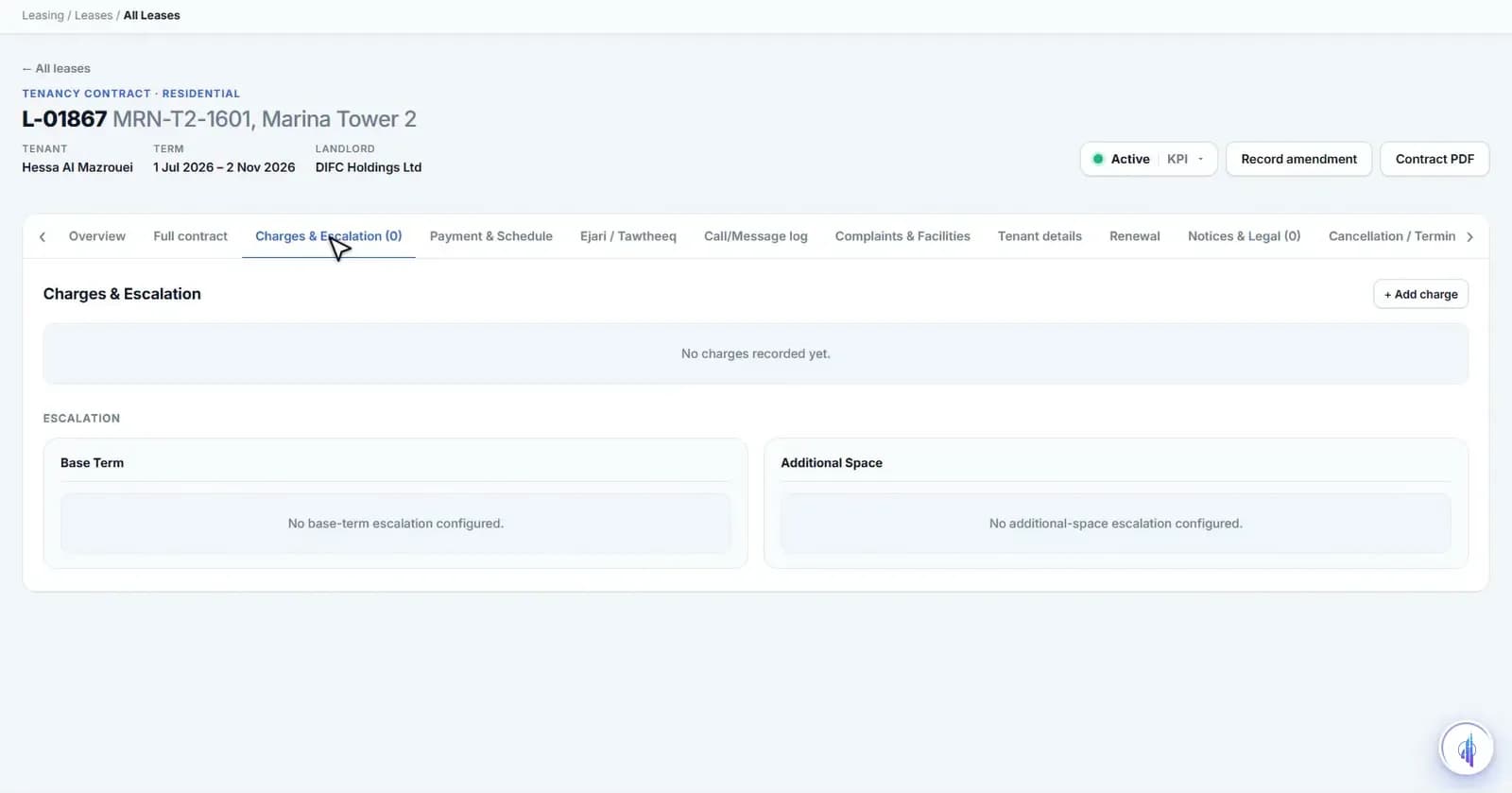
Pick the legal entity, building, unit and tenant, and the tenant's identity check is confirmed. Then set the term and charges, send it for approval and generate the agreement.
Leasing & renewalsRoute discounts for approval
Any discount goes to Finance Review. Retail leases, or discounts over 5%, also go to Legal Review. When the last approval is done, the lease activates and the unit updates.
Leasing & renewals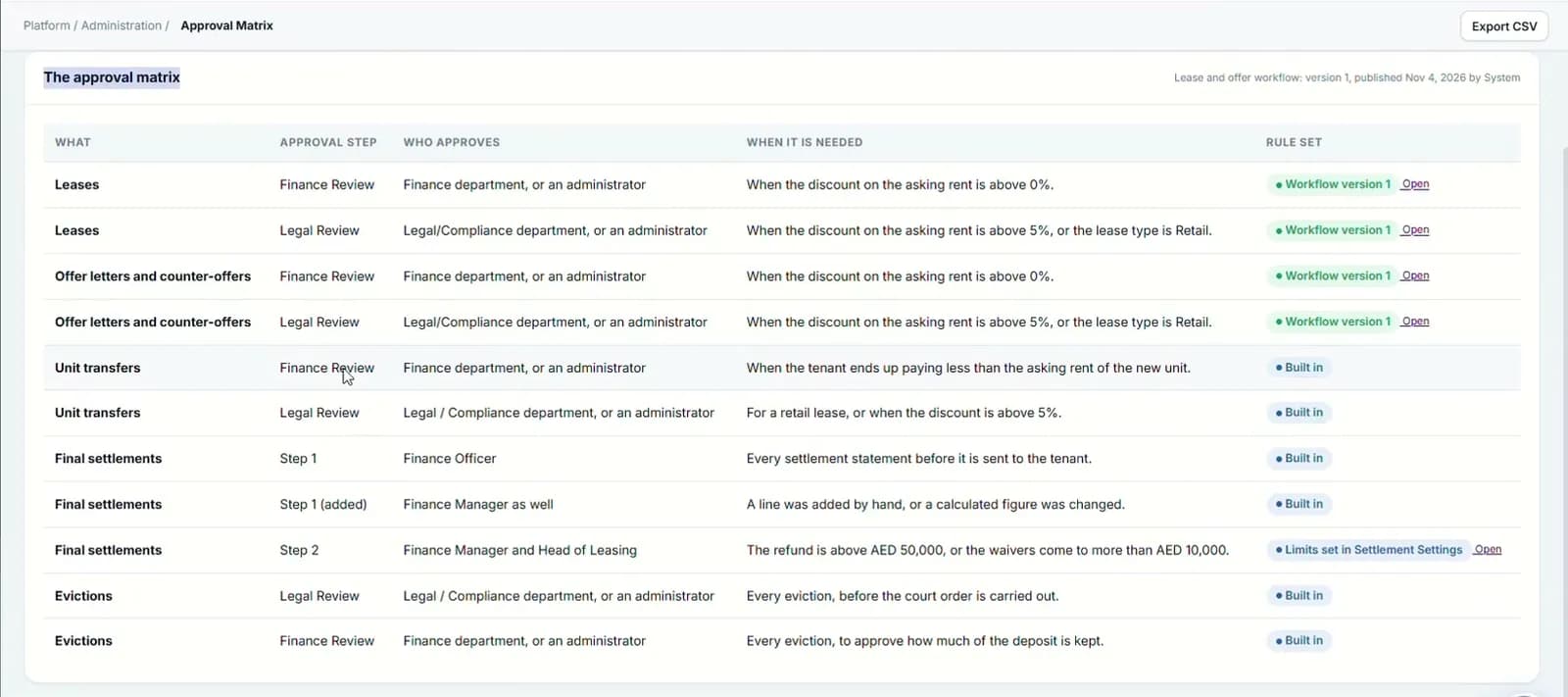
Build the agreement from approved clauses
Choose a template and the agreement fills with the right clauses for the jurisdiction. Locked clauses cannot be edited. It then goes to the landlord and tenant for e-signature.
Leasing & renewals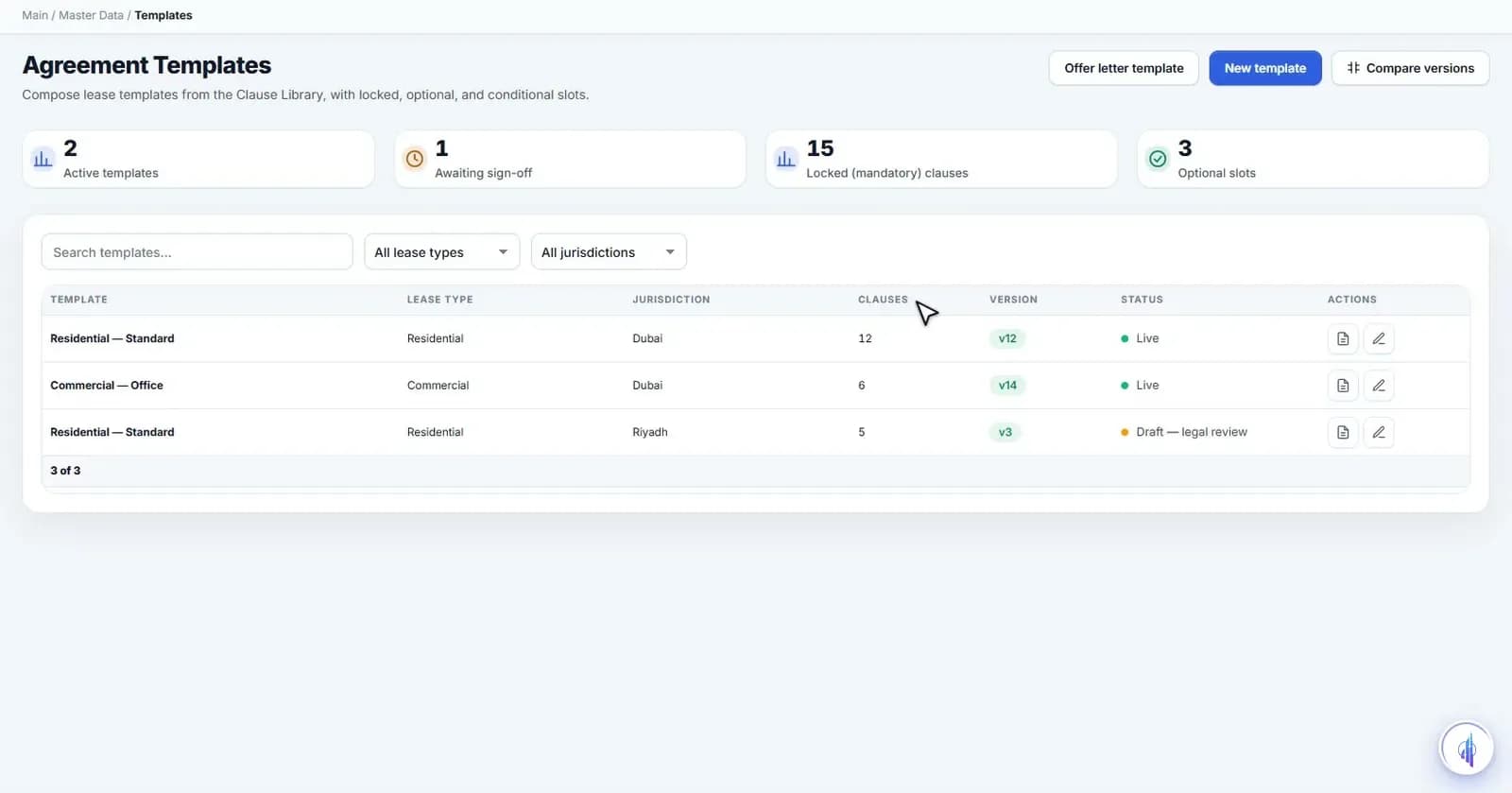
Renew inside the legal cap
Renewal offers are prepared 90 days before expiry. Type the increase and the system shows the most the law allows, with the reason in plain words. An offer above the cap is blocked.
“Renewal offers are prepared 90 days before expiry.”
- 6
- lease types
- 4
- step lease wizard
- 90
- days of renewal preparation
Capabilities
Everything it takes, in one place.
Six lease types
Residential, commercial, retail with turnover rent, short-term, storage and parking, and staff housing.
Charges and escalation
Escalation ladders, multiple charges with daily, monthly or straight-line proration, and VAT treatment per charge.
No-code approval routes
Design the route, test it before publishing, and keep every version. Add a director step for rent of AED 500k or more.
Bulk rent reviews
Propose new rents for every lease ending soon, approve them, and send the renewal notices together.
Master contracts
One agreement for a company renting many units, with a lease per unit so each can be released on its own.
Transfers and assignments
Move a tenant to another unit with their deposit and payment history, or assign a lease to a new party.
Clause-level amendments
Change the rent, dates or a clause with a redline, and the change is signed again before it counts.
Move-in and move-out
Checklists with photo evidence and meter readings, created when a lease starts or ends.
Legal hold
Cases, demand letters and a blacklist. A legal hold stops renewals and new leases for that tenant until released.
Watch it work
Leasing and agreements walkthrough
The lease file, wizard, approvals, renewals and agreements.
Narrated in English with captions. All data shown is demo data.
FAQ
Questions we hear a lot.
Is the lease registered with Ejari or Tawtheeq?
Each lease has an Ejari and Tawtheeq tab for new, renewal and termination registrations, with the certificate and receipt. The government connection is integration-ready and switched on during onboarding.
Which e-signature provider do you use?
Agreements, amendments and assignments are sent for e-signature from PropertyHive. Connecting your provider, such as DocuSign, is integration-ready.
Can we change who approves what?
Yes. The approval matrix covers leases, offers, transfers, settlements and evictions, and the workflow designer lets you change a route, test it and publish it without code.
See it on your portfolio.
Bring your unit list and a month of cheques. We'll show you the workflow, not the slides.