Operate · Tenant portal & app
Everything a tenant needs, without calling the office.
A web portal and an iOS and Android app, in English and Arabic. Tenants see their lease and payments, raise requests, answer renewal offers and book the gym, and every request lands with your team.
 Tenant portal & app
Without PropertyHive
Sound familiar?
Every question is a phone call
When is rent due? Where is my receipt? The answers exist, but the tenant has to call to get them.
Repairs arrive as WhatsApp photos
A leak is reported to a building manager's personal phone, and nobody logs it.
Renewal answers get lost
The offer goes out by email and the reply comes back by phone, weeks later.
How it works
Tenant portal & app, step by step.
Sign in and see what matters today
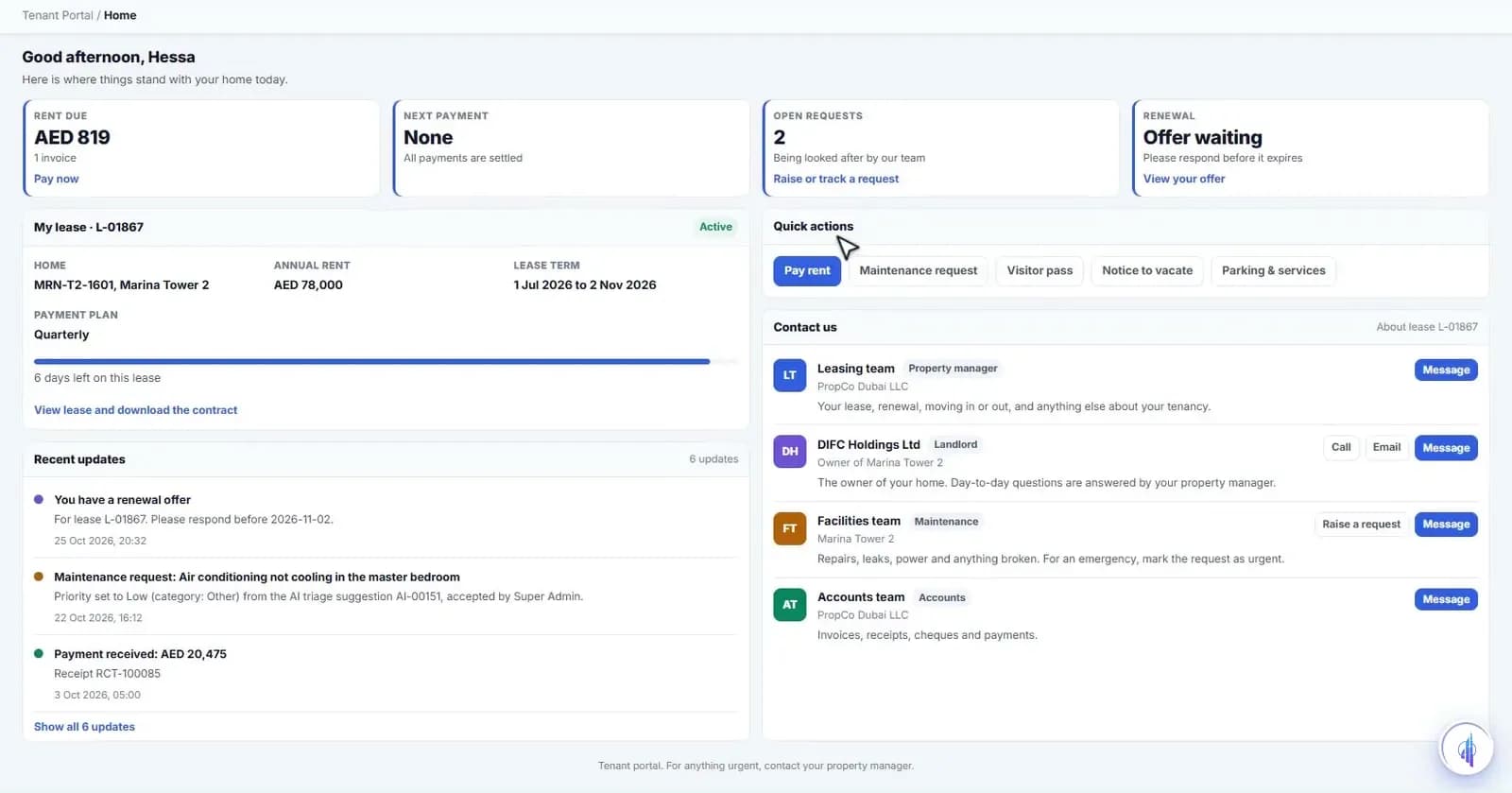
Tenants sign in with email and password or UAE PASS. Home shows rent due, the next payment, open requests and any renewal offer waiting for an answer.
Tenant portal & appPay and keep every receipt
Payments shows what's outstanding, overdue and paid, with each instalment's cheque, invoice and receipt PDF. The card and bank transfer pay flow is built; the payment gateway is integration-ready.
Tenant portal & app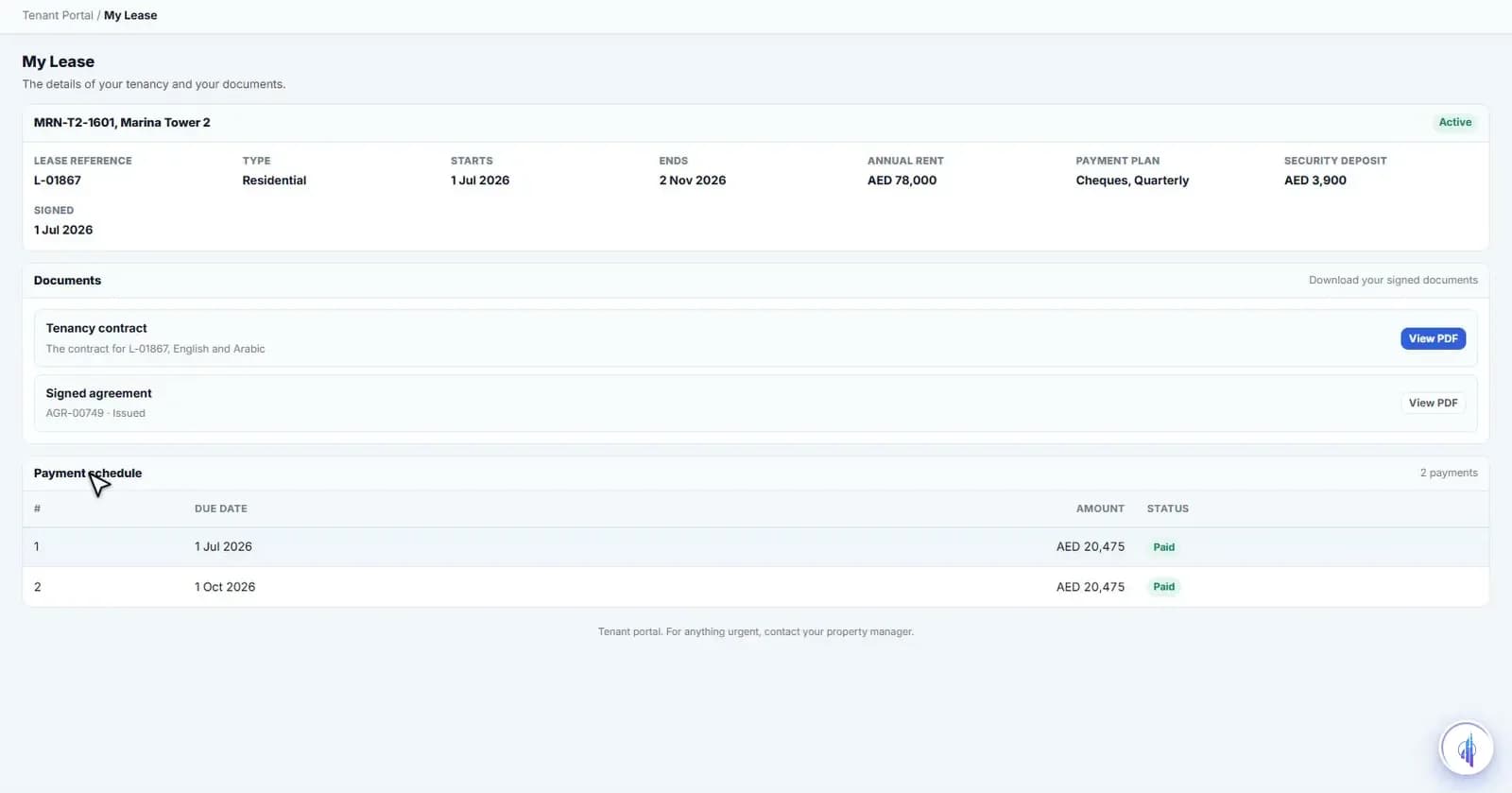
Raise a request and follow it through
Maintenance with photos, complaints, visitor passes and notice to vacate. Each request lands in the staff cases screen, replies show in the thread, and the tenant rates the result.
Tenant portal & app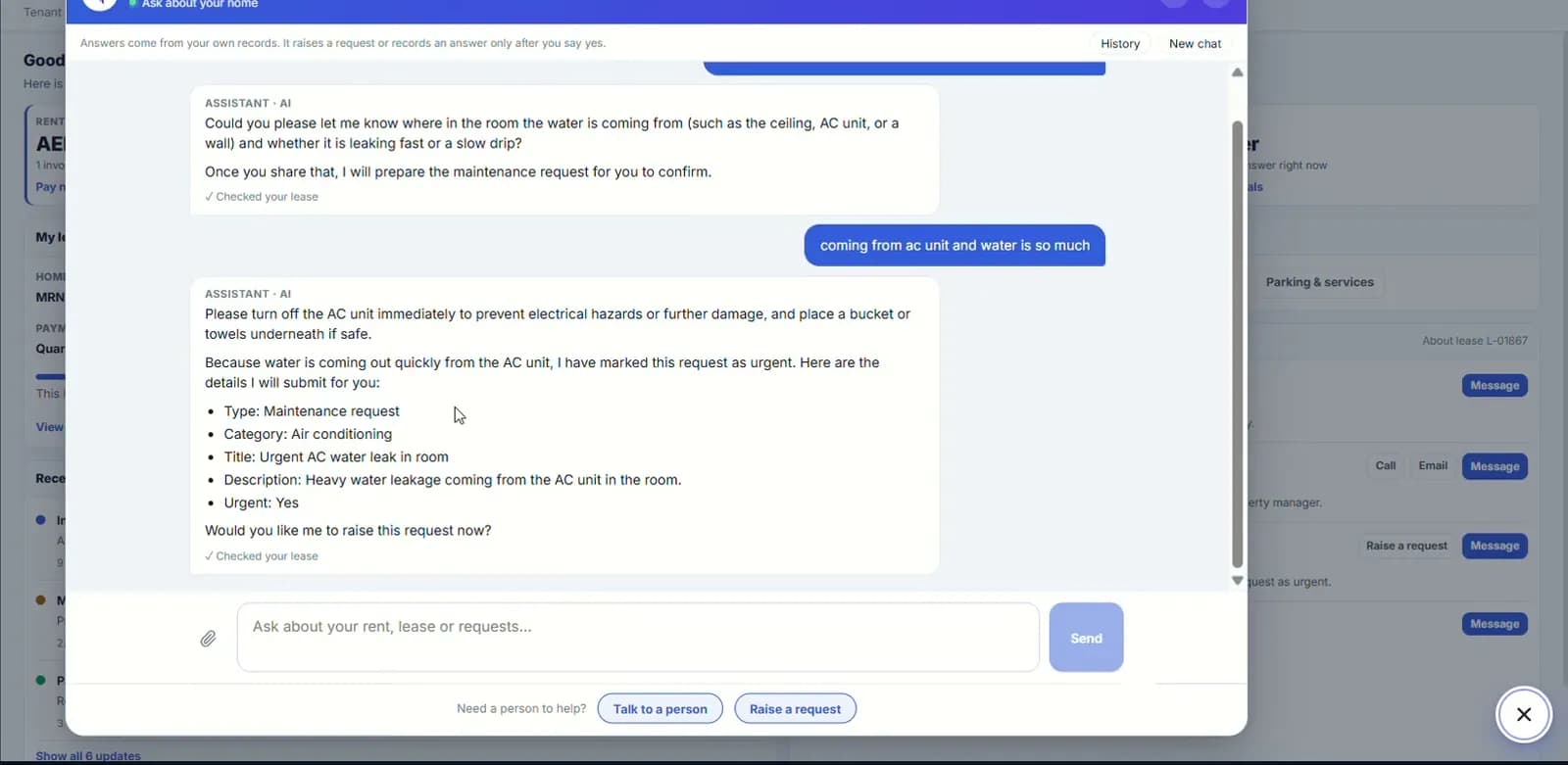
Ask the assistant
The AI assistant answers from the tenant's own records: rent, lease, requests and parking. It can raise a repair or a visitor pass only after the tenant says yes, and 'Talk to a person' is always there.
Tenant portal & app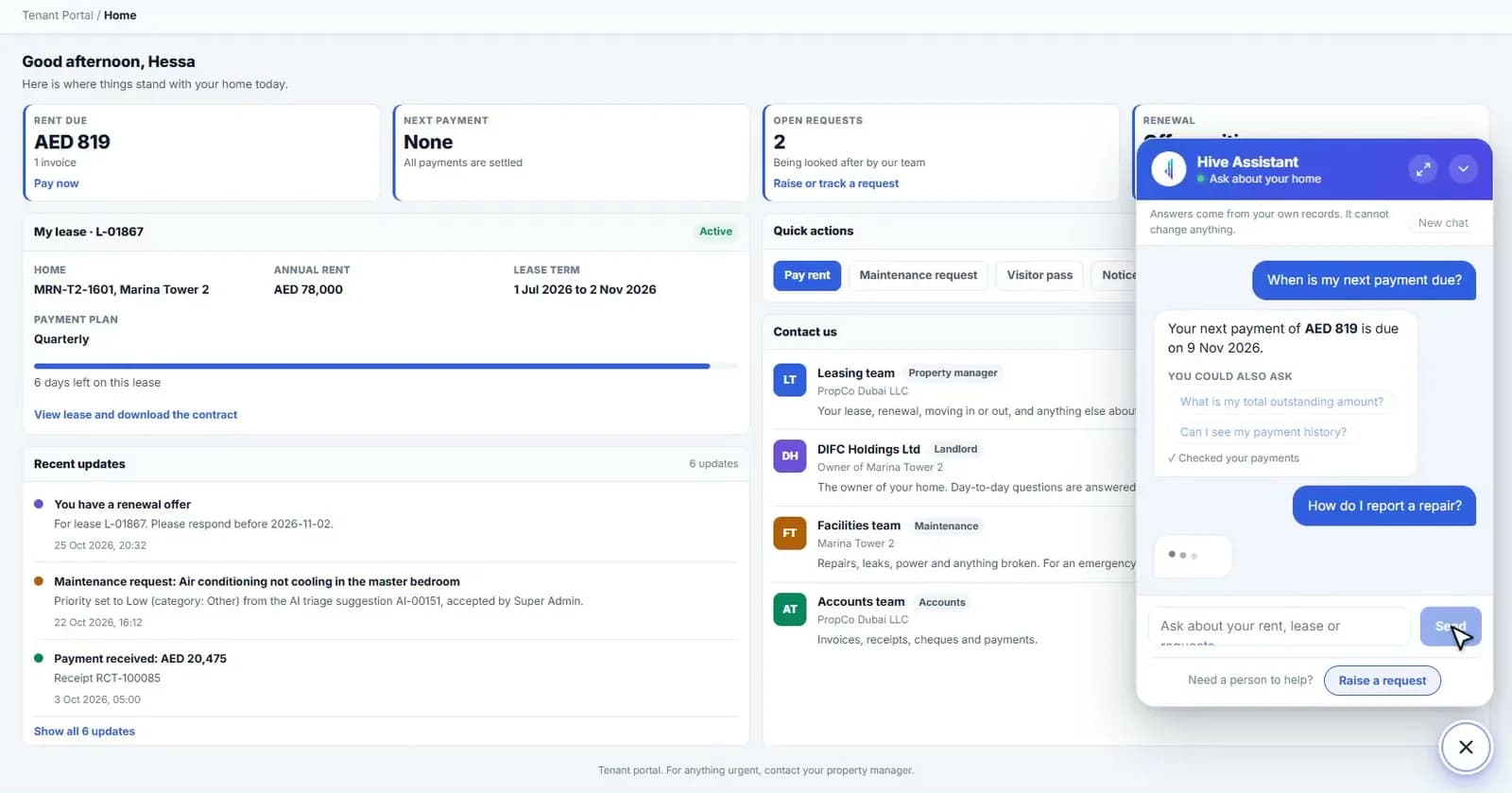
Answer the renewal offer
The tenant sees the current rent, offered rent, new term and validity date, and can accept, ask to discuss or decline. Only the answer is saved; rent and dates cannot be changed from the portal.
“The tenant sees the current rent, offered rent, new term and validity date, and can accept, ask to discuss or decline.”
- 2
- languages, with Arabic right-to-left
- 2
- mobile platforms: iOS and Android
- ~3
- clicks to a visitor pass or gym booking
Capabilities
Everything it takes, in one place.
Web portal and native app
A tenant website plus an app for iOS and Android.
English and Arabic
Full right-to-left Arabic, plus dark mode in the app.
UAE PASS sign-in
Or email and password. Five wrong attempts lock the account for a short time.
Payments and statements
Instalments, receipts and statements, with biometric confirmation in the app. Gateway integration-ready.
Requests with photos
Maintenance, complaints and services, with a message thread and a star rating.
Renewal response
Accept, discuss or decline the offer. The terms stay locked.
Bookings and visitor passes
Book the gym or pool, request an appointment, or issue a visitor pass.
Community and documents
Building notices and events, lease documents and building rules.
Assistant with a person behind it
Answers from the tenant's own records, with 'Talk to a person' when needed.
Watch it work
Tenant portal walkthrough
The tenant's view: lease, payments, requests, renewal and bookings.
Narrated in English with captions. All data shown is demo data.
Works hand in hand with
FAQ
Questions we hear a lot.
Is there a mobile app as well as the portal?
Yes. A native app for iOS and Android sits alongside the web portal, with English and Arabic, dark mode and offline handling. Rollout to your tenants is planned with you during onboarding.
Can tenants pay rent online?
Tenants see what's due and start a payment by card or bank transfer, confirmed with biometrics in the app. The payment gateway is integration-ready and connected to your provider during onboarding.
What can a tenant see and change?
A tenant only ever sees their own lease, payments and requests. They can raise and follow requests and answer a renewal offer, but only the answer is saved. Rent and dates can never be edited from the portal.
See it on your portfolio.
Bring your unit list and a month of cheques. We'll show you the workflow, not the slides.