
Operate · Access & parking
One pass, one scan, used once.
Every visitor, contractor, vehicle and delivery gets a numbered gate pass with a QR code. The guard scans it on a phone and sees at once whether it is valid, already used, cancelled or expired.
 Access & parking
Without PropertyHive
Sound familiar?
The gate runs on a paper log
Names written by hand at the barrier, and no way to tell later who came in, for which unit, or when.
Passes get reused
A screenshot of last week's pass works as well as today's, because nobody at the gate can check it.
Nobody knows who holds which bay
Bays are allocated in a spreadsheet, visitor cars stay for days, and parking income is a guess.
How it works
Access & parking, step by step.
Issue the gate pass
Choose the type (visitor, contractor, vehicle, goods in or out), the property and unit, and the person's name, company and phone. Set the purpose and the validity, and the pass exists at once with its own number.
Access & parking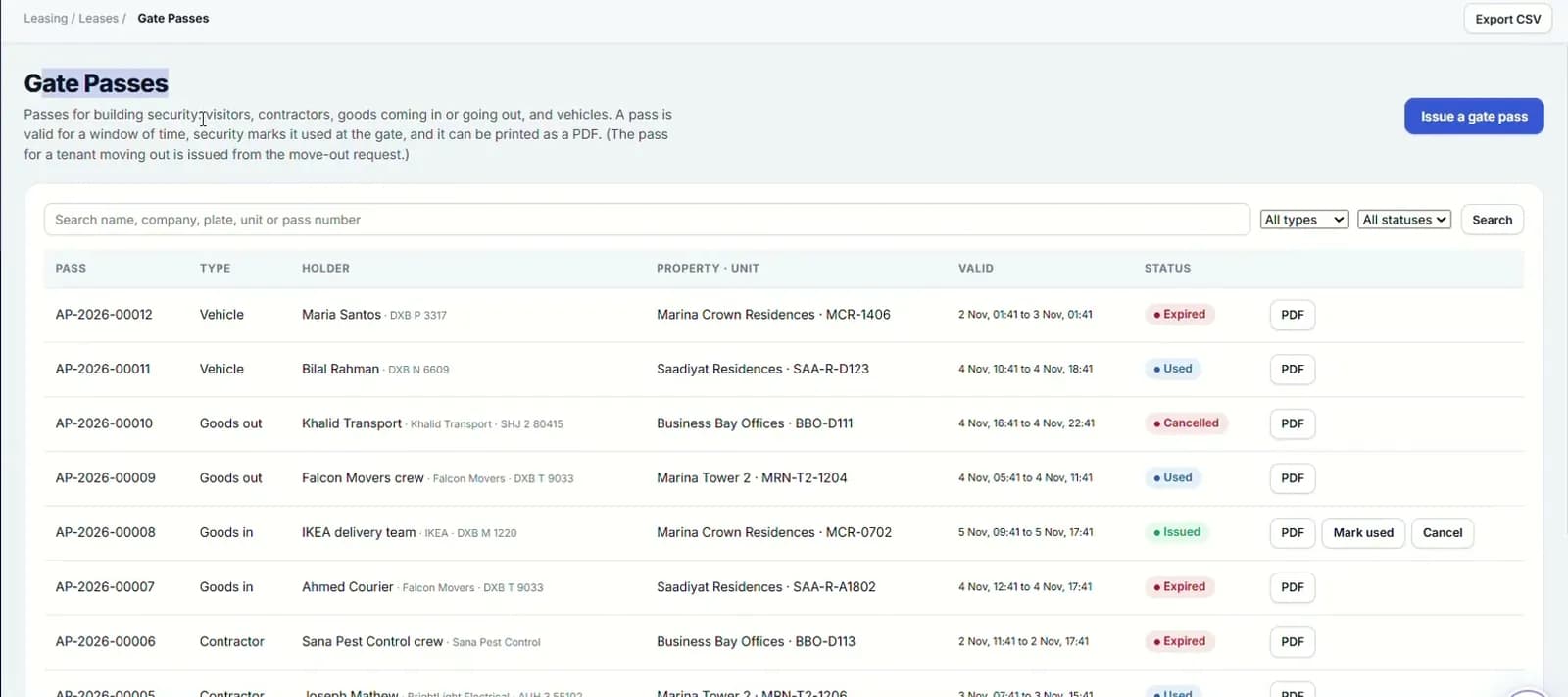
Send the bilingual PDF
Each pass is a PDF in English and Arabic with the QR code the guard scans. Print it or send it to the visitor.
Access & parking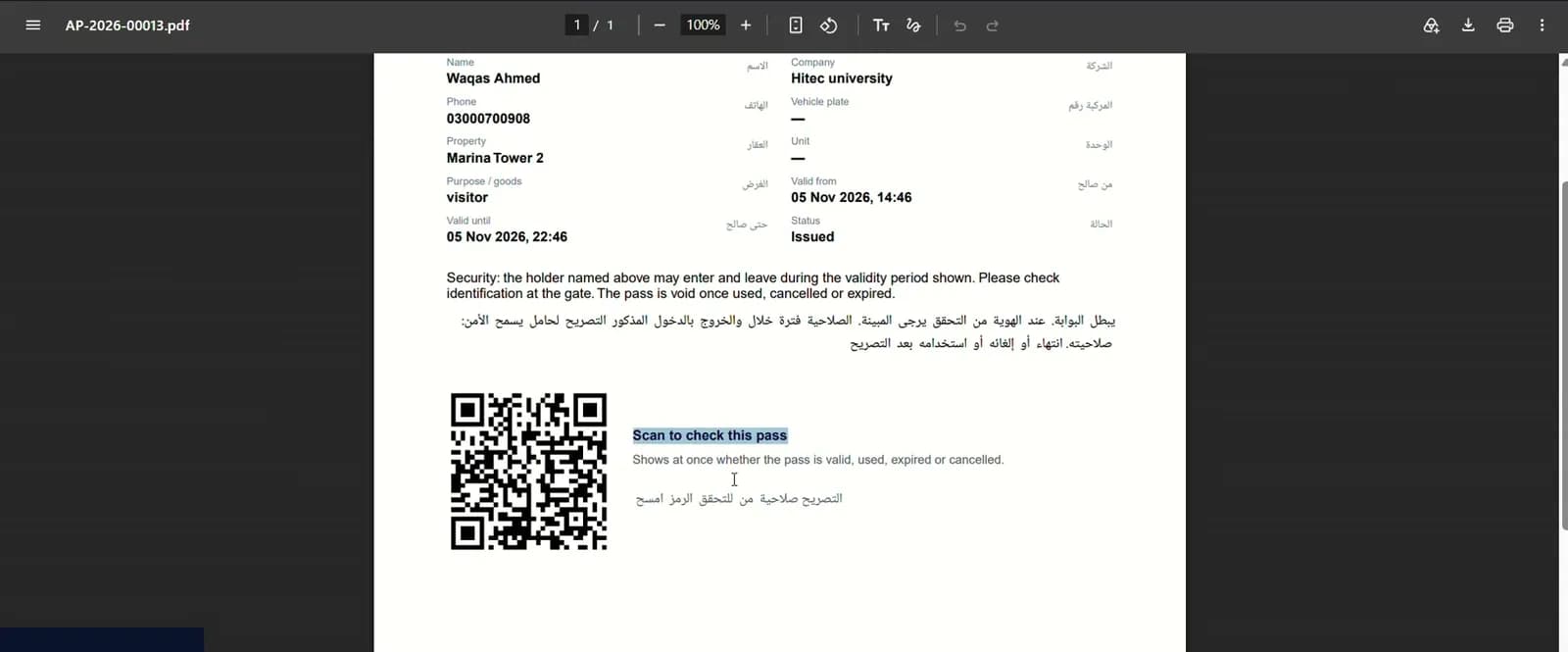
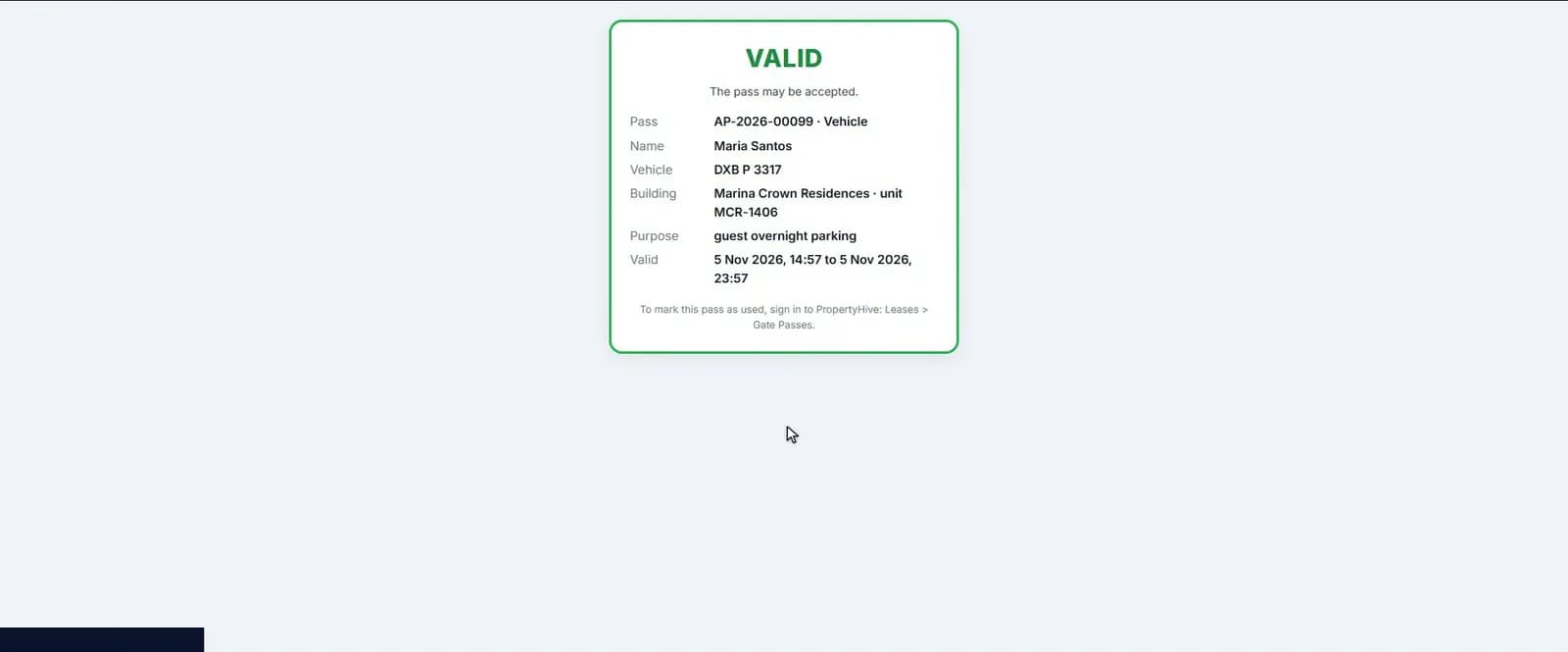
The guard scans, and the pass is used
Scanning opens the pass on the guard's phone with who it is for, the vehicle and the period. When the visitor arrives it is marked used, so the same pass cannot be used twice.
Access & parkingAllocate bays and track visitors
The bay register shows every bay with its fee, status and holder. Allocate a bay as included in the lease, on a paid contract or free with management approval. Visitor parking records the car, bay and dates, and frees the bay on check-out.
Access & parking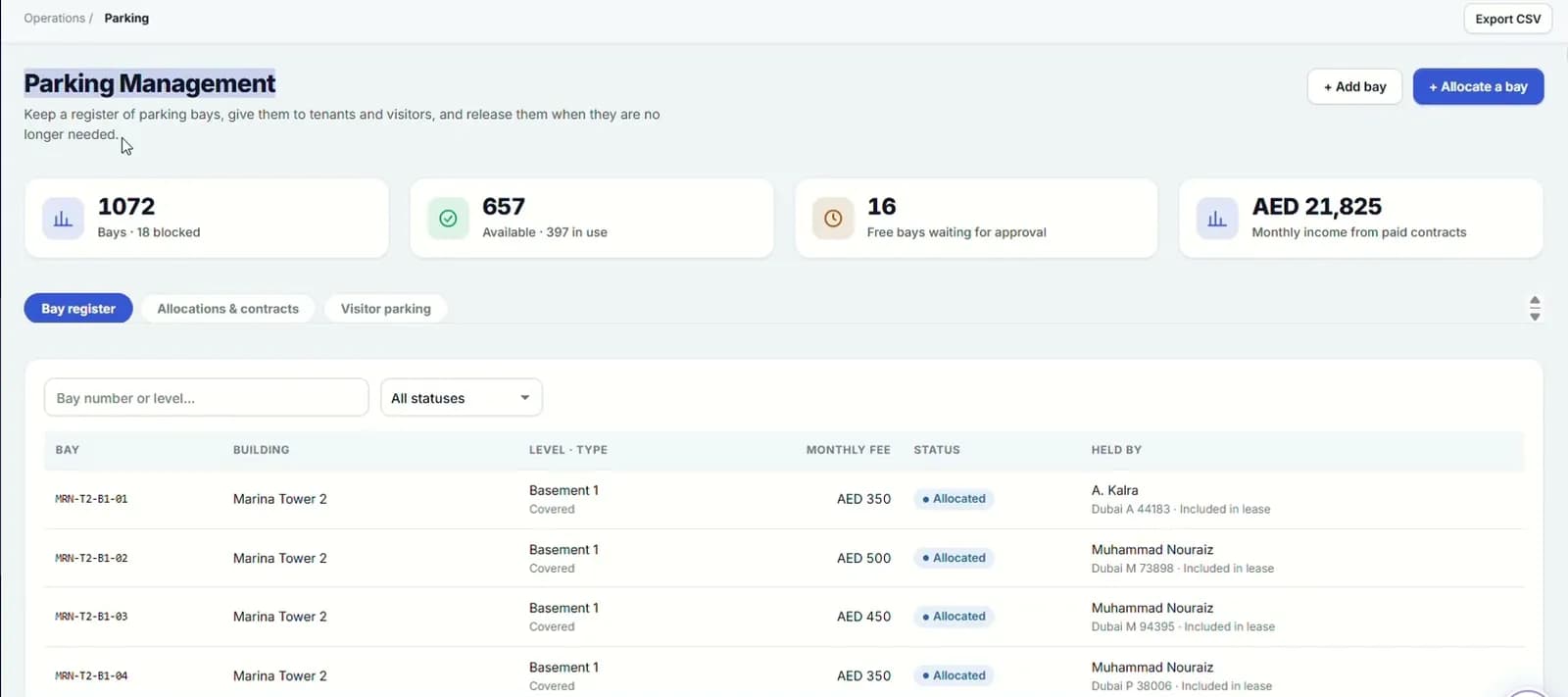
- 4
- gate pass types
- 4
- states a guard can see on scan
- 3
- clicks for a tenant to book the gym
Capabilities
Everything it takes, in one place.
Four pass types
Visitors, contractors, vehicles and goods, each with its own validity period.
QR on every pass
A bilingual EN/AR PDF the visitor can carry on paper or on a phone.
Guard scan states
Valid, used, cancelled or expired, shown clearly on the guard's phone.
Passes kept as a record
Expired and used passes stay in the list, filterable by type and status.
Bay register
Every bay by building, level, number and type: covered, open or visitor.
Three allocation types
Included in the lease, paid contract, or free with management approval.
Parking income
Available bays, bays awaiting approval and monthly income at the top of the register.
Send to gate, ANPR-ready
Vehicles are queued for the gate system. Integration-ready until your ANPR camera supplier is connected.
Tenant requests in a few clicks
Tenants ask for a visitor pass or book the gym from the portal in about 3 clicks.
Watch it work
Access and parking walkthrough
QR gate passes the guard can verify, parking and amenity booking.
Narrated in English with captions. All data shown is demo data.
Works hand in hand with
FAQ
Questions we hear a lot.
Does it open our barriers automatically?
Not yet. "Send to gate" queues the vehicle for your gate system, and this is integration-ready: once your ANPR or smart-gate supplier provides its interface, the queued vehicles go straight through.
What does the guard need?
A phone that can scan a QR code. The scan opens the pass and shows whether it is valid, used, cancelled or expired.
Can tenants request visitor passes themselves?
Yes. In the tenant portal they enter the visitor's name, date and plate. The request reaches your team as a case, ready for them to issue the gate pass, and the tenant can follow it until it is done.
See it on your portfolio.
Bring your unit list and a month of cheques. We'll show you the workflow, not the slides.