
Plan · Dashboards & reports
Every report, dashboard and approval in one place.
A portfolio command centre for leadership, a report centre for everyone else, and approval routes your team designs without code. Export to Excel, PDF or CSV, or have it emailed on a schedule.
 Dashboards & reports
Without PropertyHive
Sound familiar?
Month-end means building the pack by hand
Someone exports from several systems into one workbook, and the numbers are stale by the time it's sent.
Every new question is an IT ticket
A simple list of deals by stage waits in a queue for someone who can write the query.
Approvals happen in inboxes
A discounted lease is approved by email, and six months later nobody can show who signed it off.
How it works
Dashboards & reports, step by step.
Start at the portfolio command centre
The executive dashboard shows each role the figures it needs, and exports to Excel, PDF or CSV.
Dashboards & reports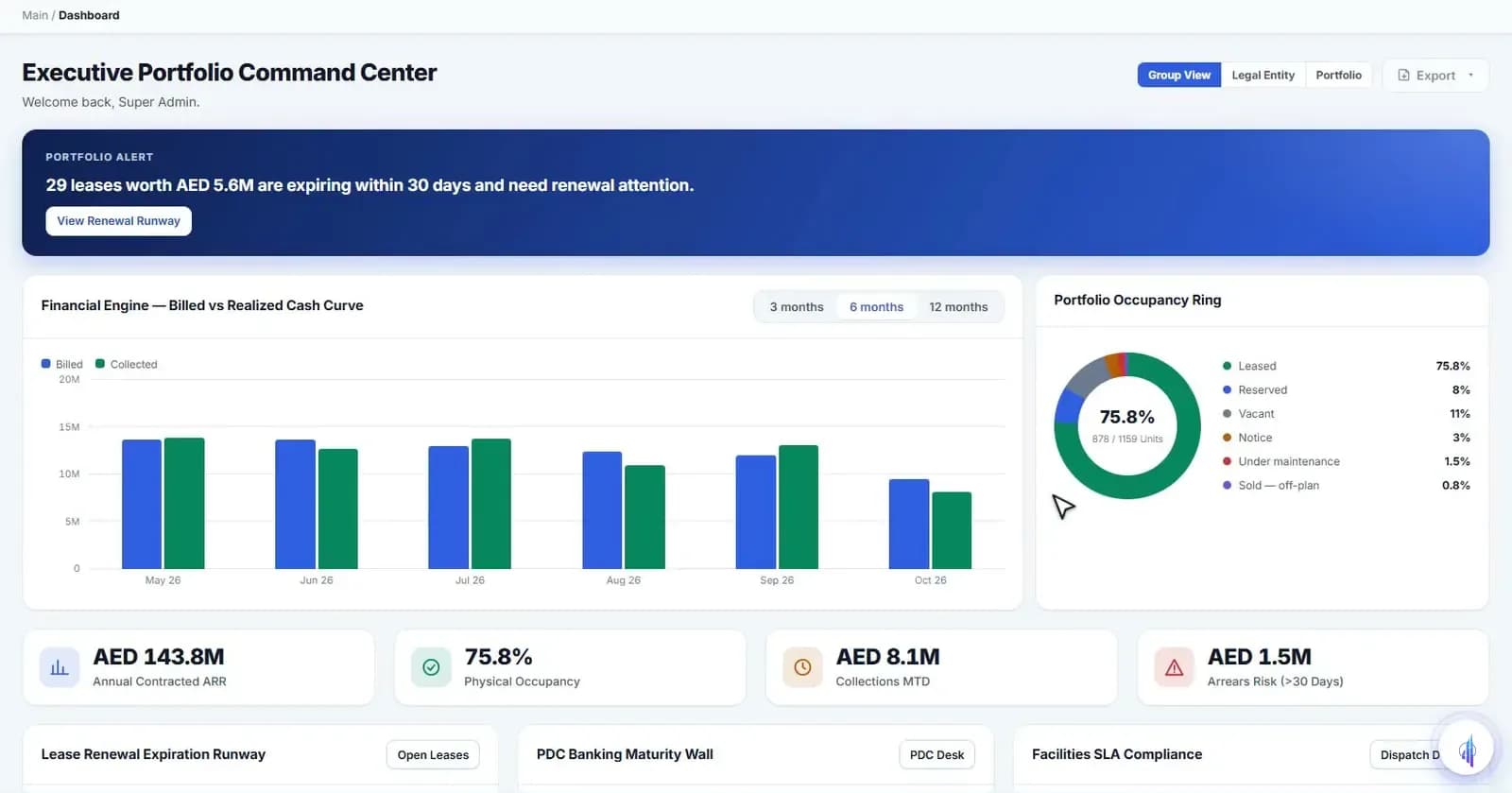
Run any report from the report centre
Reports are grouped by area, from leasing and finance to legal and police cases. Narrow one to a building, export it, or email it on a schedule to up to 10 recipients.
Dashboards & reports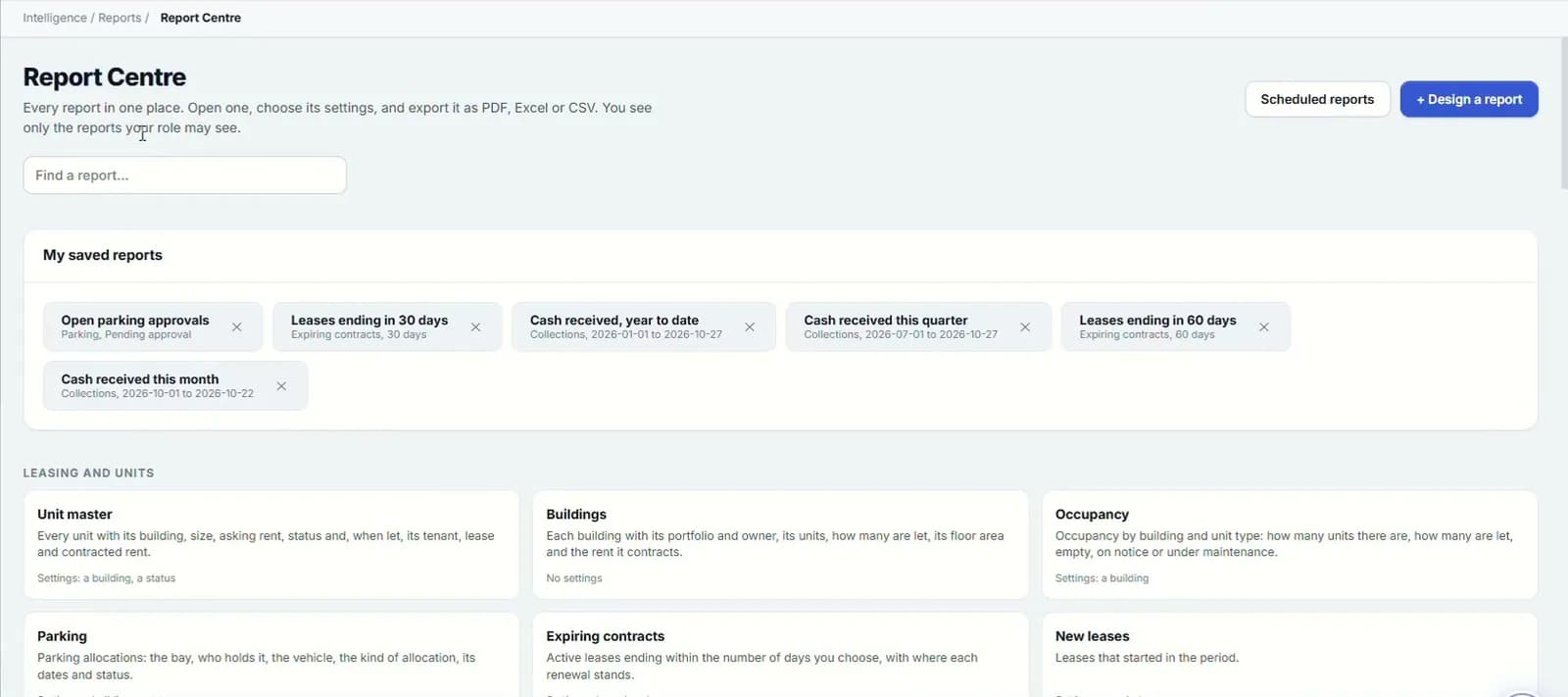
Build the report that doesn't exist yet
Pick what the report is about, choose the columns, add up to 6 conditions and a sort order. Save it, export it or schedule it like any other.
Dashboards & reports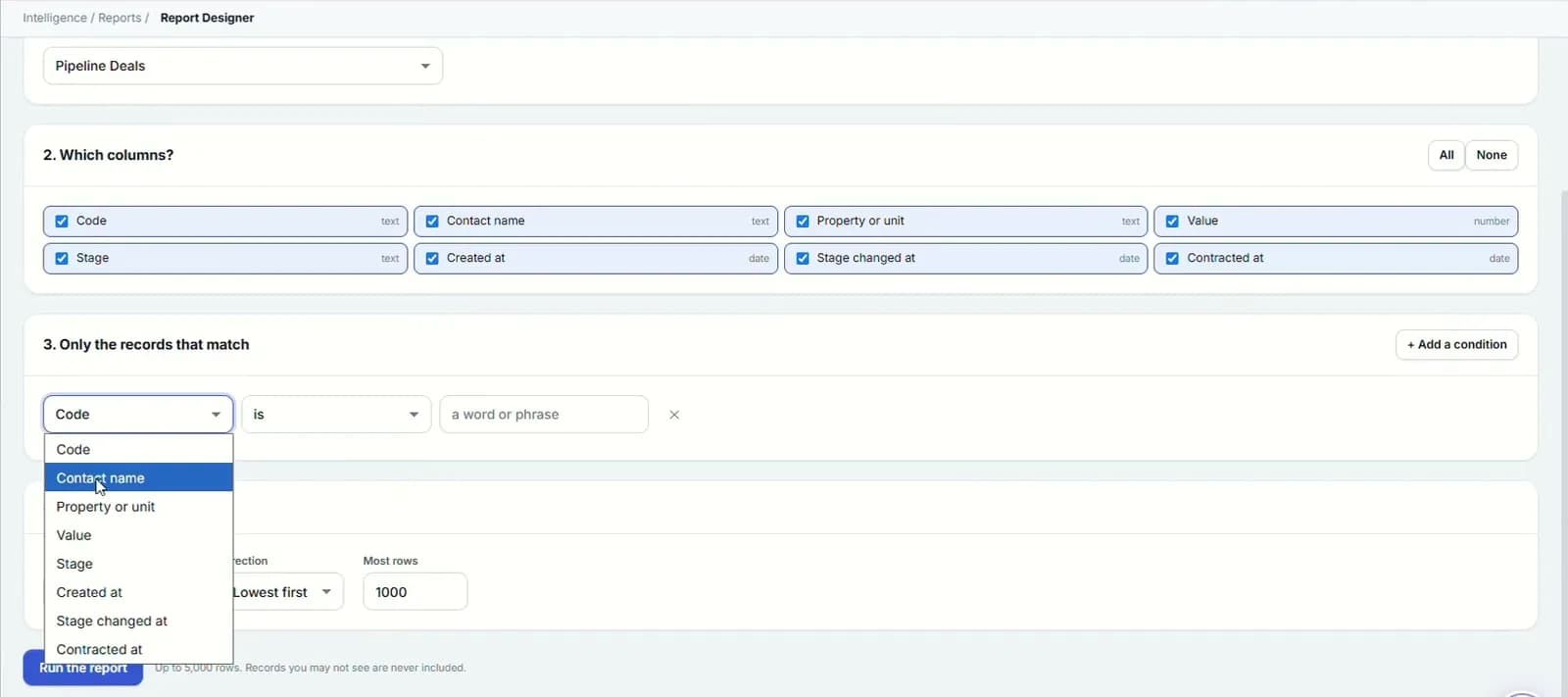
Design approval routes without code
Set who reviews what: Finance for any discount, Legal above 5% or for retail, a director for rent of AED 500k or more. Test the route before you publish it.
Dashboards & reports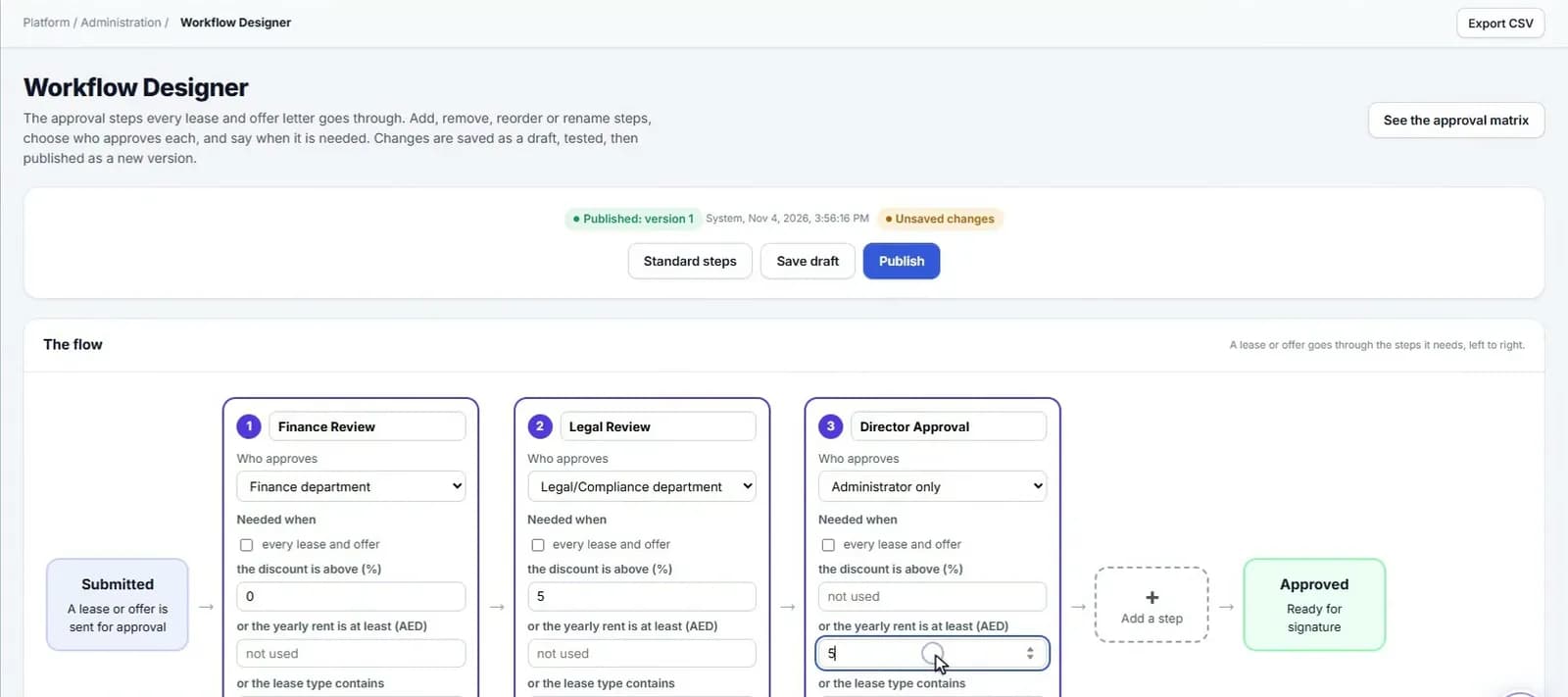
File every document with its expiry
The document archive holds title deeds, permits and generated files such as gate passes, with expiry tracking and restricted access where needed.
Dashboards & reports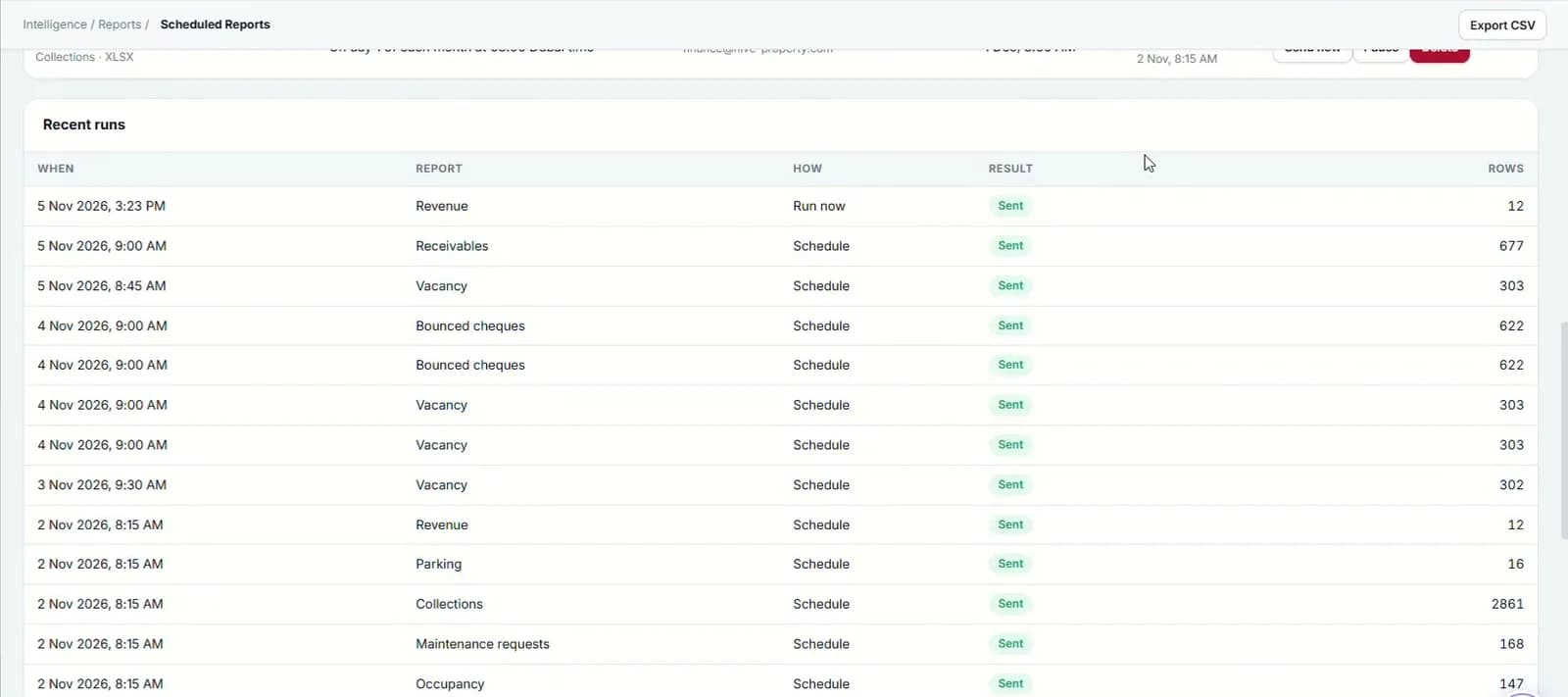
- 6
- conditions per custom report
- 10
- recipients per scheduled report
- 3
- export formats: Excel, PDF and CSV
Capabilities
Everything it takes, in one place.
Portfolio command centre
A role-based executive dashboard with Excel, PDF and CSV export.
Relationship dashboard
Tenancies, renewal acceptance and tenant satisfaction in one view.
Employee KPIs
Team and individual performance on a dashboard of its own.
Legal dashboard
Legal cases with their court, amount and status, in one view.
Report centre
Leasing, finance, collections, maintenance, legal and police-case reports, grouped by area.
No-code report designer
Columns, sorting and up to 6 conditions, saved for reuse.
Scheduled email
Choose the frequency, day and format for up to 10 recipients. Run now, pause or remove at any time.
Approval matrix
Leases, offers, transfers, settlements and evictions, with draft routes, version history and restore.
Document archive
One central store with expiry tracking and restricted documents.
Watch it work
Reports walkthrough
The report centre, scheduled reports, the archive and document intelligence.
Narrated in English with captions. All data shown is demo data.
FAQ
Questions we hear a lot.
Can we build our own reports without IT?
Yes. The report designer lets you pick the subject, the columns, up to 6 conditions and a sort order. The result can be exported, saved or scheduled like any built-in report.
Can approval rules match our delegation of authority?
Routes are built in the no-code workflow designer. For example, Finance reviews any discount, Legal reviews discounts over 5% or any retail lease, and a director signs off rent of AED 500k or more. Routes can be tested before publishing, and every version is kept so you can restore an earlier one.
Which formats can reports be exported in?
Excel, PDF and CSV. Any report can also be emailed on a schedule to up to 10 recipients, and paused or run on demand.
See it on your portfolio.
Bring your unit list and a month of cheques. We'll show you the workflow, not the slides.