
Lease · Call centre
Know who is calling before you answer
When the desk rings, the screen-pop shows the caller, their KYC status and what they owe. Every call and message, on every channel, lands on the same customer timeline.
 Call centre
Without PropertyHive
Sound familiar?
Agents answer blind
The tenant gives their name, the agent searches three systems, and the caller explains the problem again.
WhatsApp lives on someone's phone
A leak is reported on WhatsApp, a portal link is asked for by SMS, and neither reaches the system.
Missed calls stay missed
Nobody owns the call-back list, so a prospect who rang at lunchtime never hears from you.
How it works
Call centre, step by step.
The desk rings with context
The screen-pop shows the caller's phone, email, KYC status, any overdue amount and their recent contacts. Answer, and the timer runs while the call is recorded.
Call centre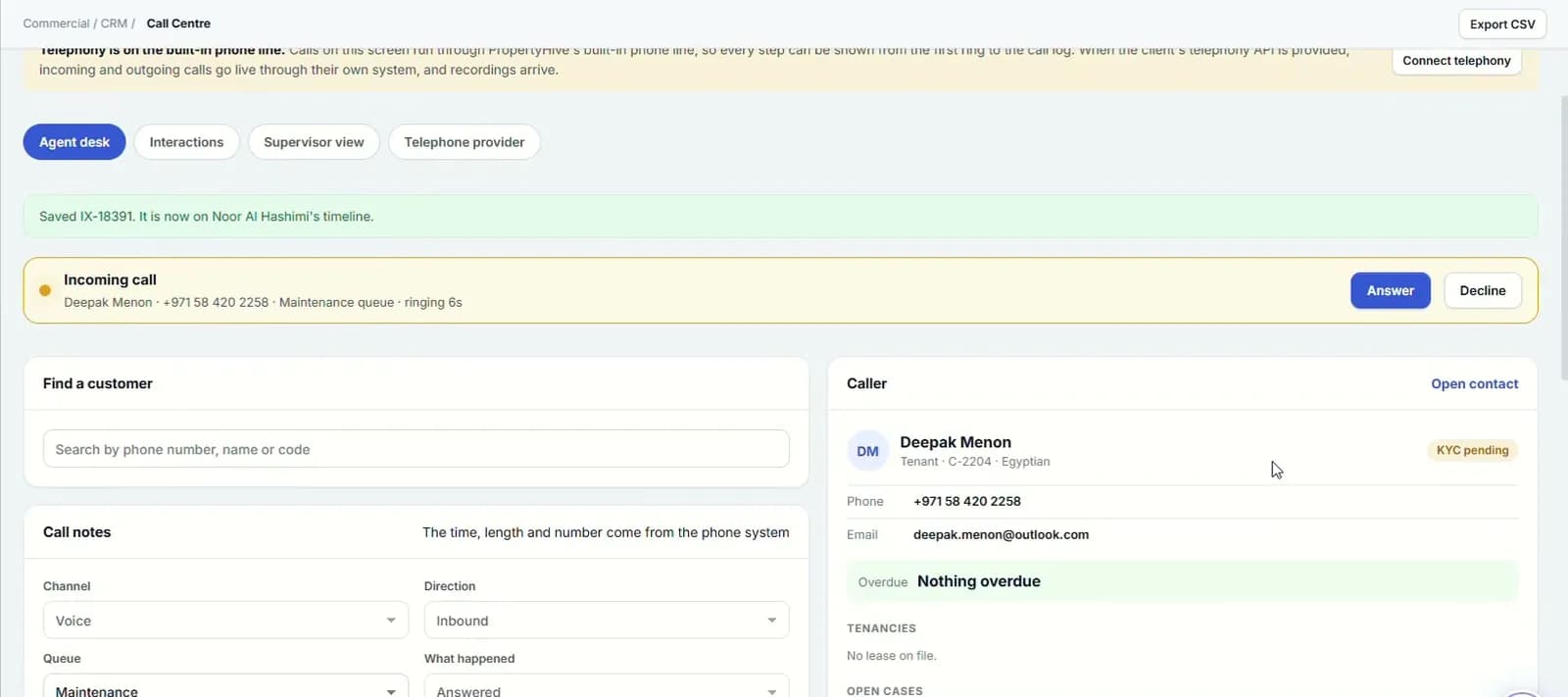
Save it to the timeline
End and save adds the call, with notes, to the customer's timeline. If it needs follow-up, open a case from the call.
“End and save adds the call, with notes, to the customer's timeline.”
Every channel on one list
Voice, WhatsApp, SMS, email, chat and social sit on one interaction list. Filter by period, channel, queue, agent or result, and turn any contact into a case in one click.
Call centre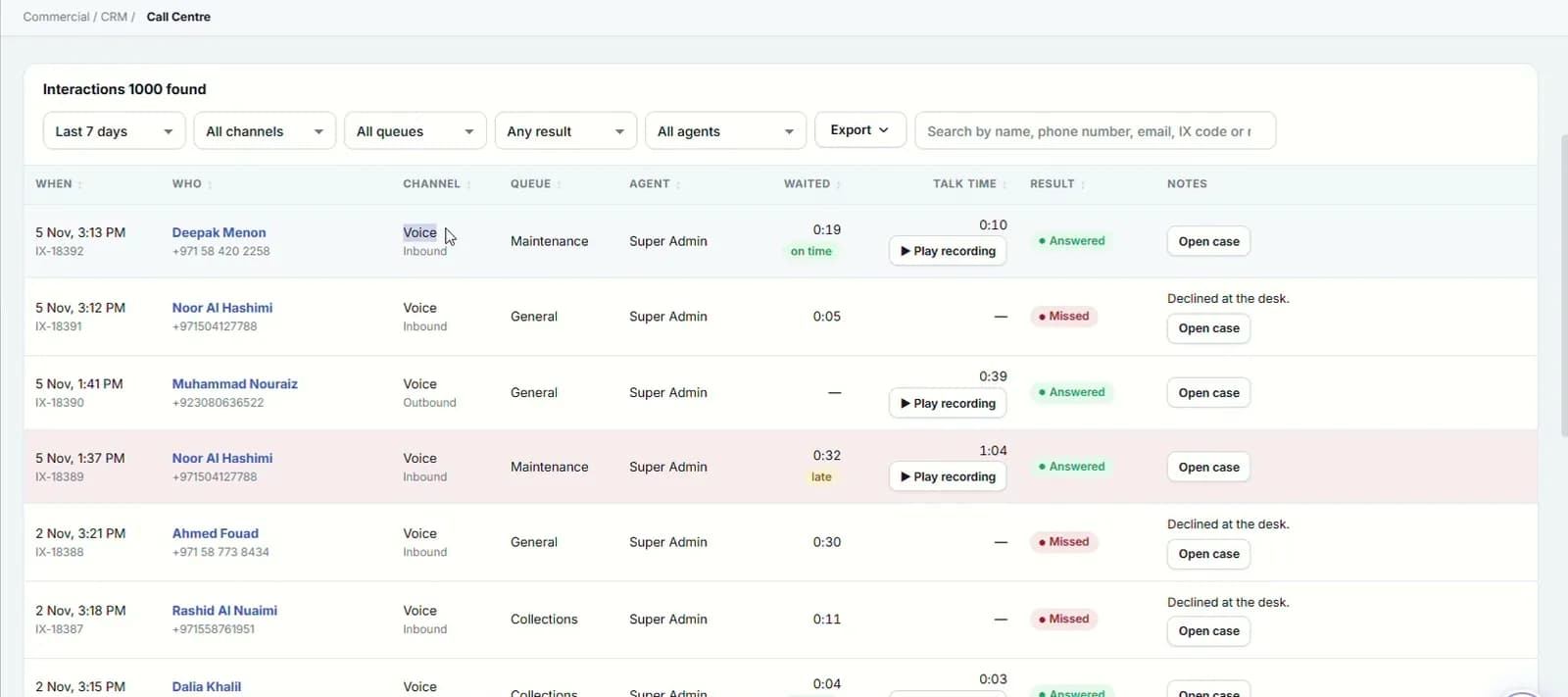
Supervise and call back
The supervisor view shows contacts handled, answer rate and service level, with each agent's workload. Missed calls nobody has returned sit in one list, ready to call back.
Call centre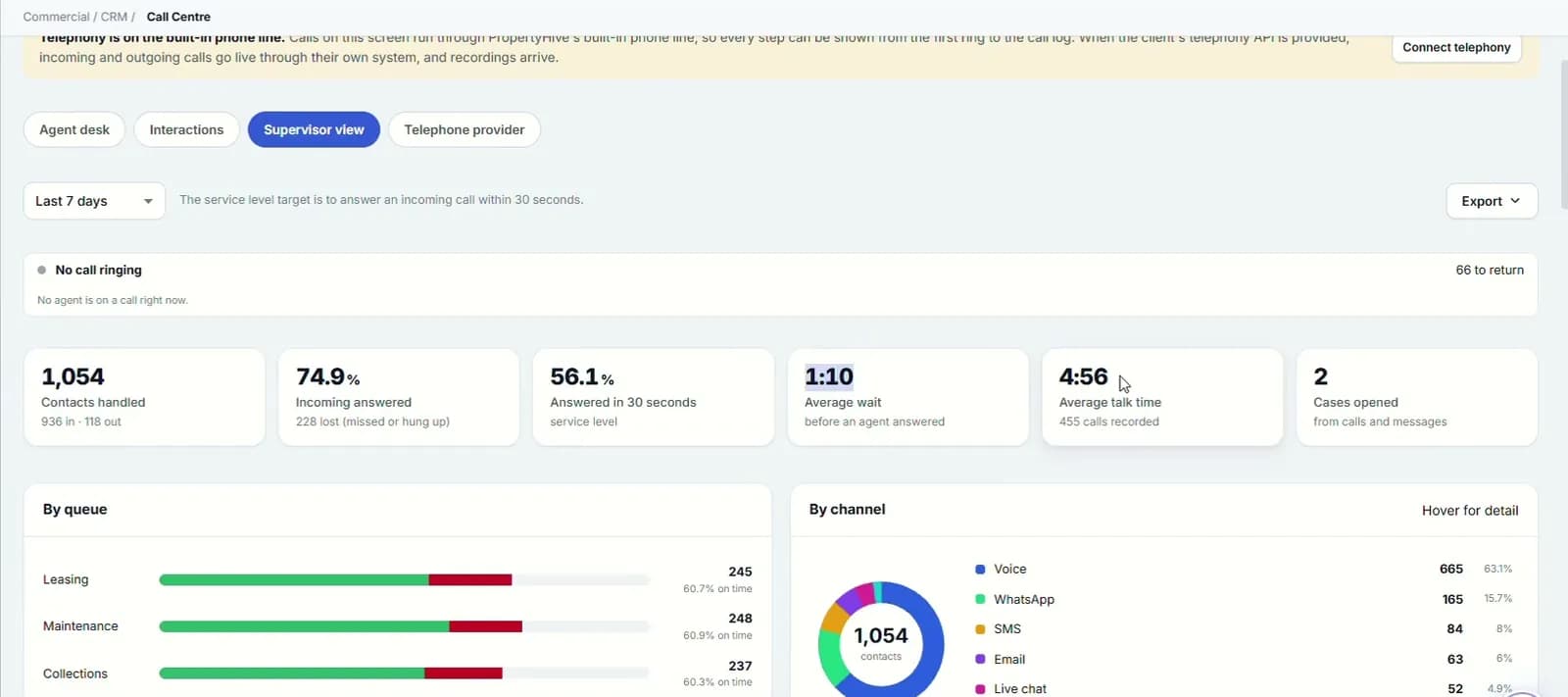
- 6
- channels on one interaction list
- 1
- click from contact to case
- 5,000
- rows per call-log import
Capabilities
Everything it takes, in one place.
Screen-pop
Caller, KYC status, overdue amount and recent contacts the moment the desk rings.
Timer and recording
A live timer on every call, with the recording kept against the interaction.
Six channels, one list
Voice, WhatsApp, SMS, email, chat and social, with who, queue, agent, wait and talk time on each row.
Contact to case
One click turns a call or message into a case, and the message becomes its first entry.
Supervisor view
Contacts, answer rate, service level, and results by queue, channel and agent.
Call-backs
Missed calls nobody has returned, with an outgoing call saved to the timeline when you ring back.
Filters and export
Narrow the list by period, channel, queue, agent or result, and export it to Excel.
Call-log import
Bring in up to 5,000 call records at a time from a file template.
Your telephony provider
Connect your phone system by API. The key is stored encrypted, and a test checks the connection before you switch it on.
Watch it work
Call centre walkthrough
Screen-pop, one timeline across channels, and a supervisor view.
Narrated in English with captions. All data shown is demo data.
Works hand in hand with
FAQ
Questions we hear a lot.
Do we need to change our phone system?
No. You connect your telephony provider by API from the telephone provider tab, test the connection and switch it on during onboarding.
Can we bring in our existing call history?
Yes. Pull call history from your provider once connected, or import up to 5,000 rows at a time from a file. Calls are matched to customers where possible.
Is WhatsApp included?
Yes. WhatsApp sits alongside voice, SMS, email, chat and social on the same interaction list, and any message can become a case.
See it on your portfolio.
Bring your unit list and a month of cheques. We'll show you the workflow, not the slides.